Your AI skills,
synced everywhere.
Create a skill in Claude, it shows up in Cursor. Edit it in Promptzy, it updates everywhere. One source of truth for all your AI skills, prompts, and custom instructions.
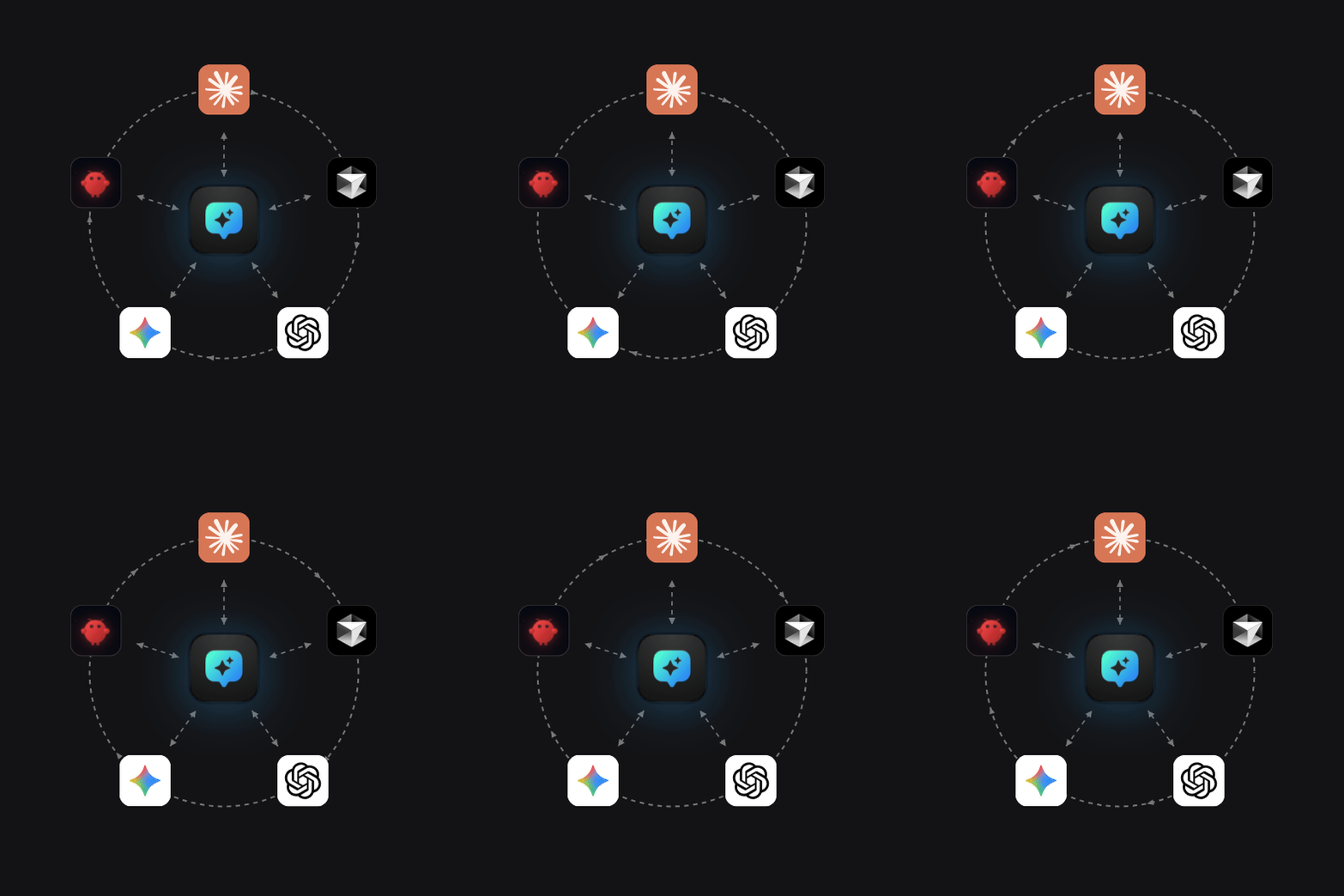
One place to manage every AI skill you use
Stop recreating the same skills and instructions in every AI tool. Promptzy syncs them all automatically.
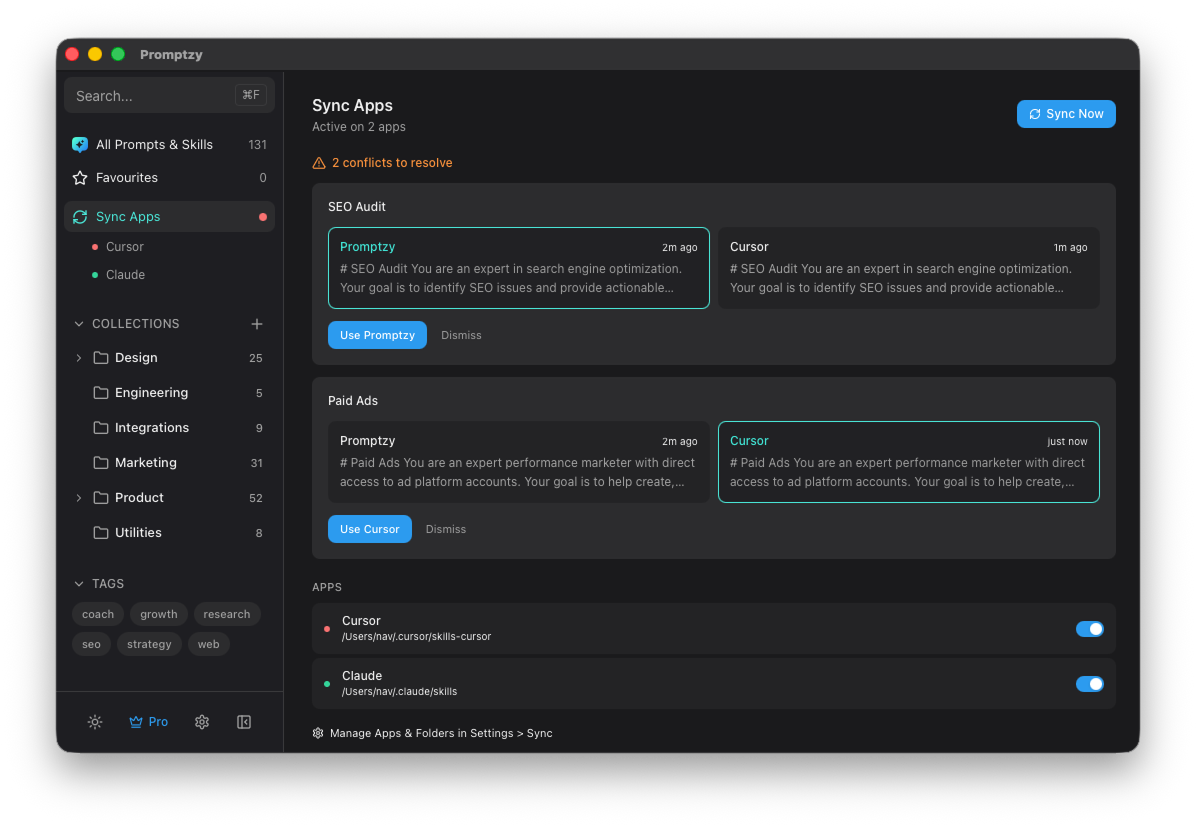
Multi-directional skill sync across AI tools
Create a skill in Claude, it appears in Cursor. Edit it in OpenClaw, it updates everywhere. Promptzy is the only tool that syncs skills across AI apps automatically.
- Sync between Claude, Cursor, OpenClaw, and more
- Conflict resolution with source of truth selection
- Real-time sync status per connected app
Everything you need to manage AI skills on Mac
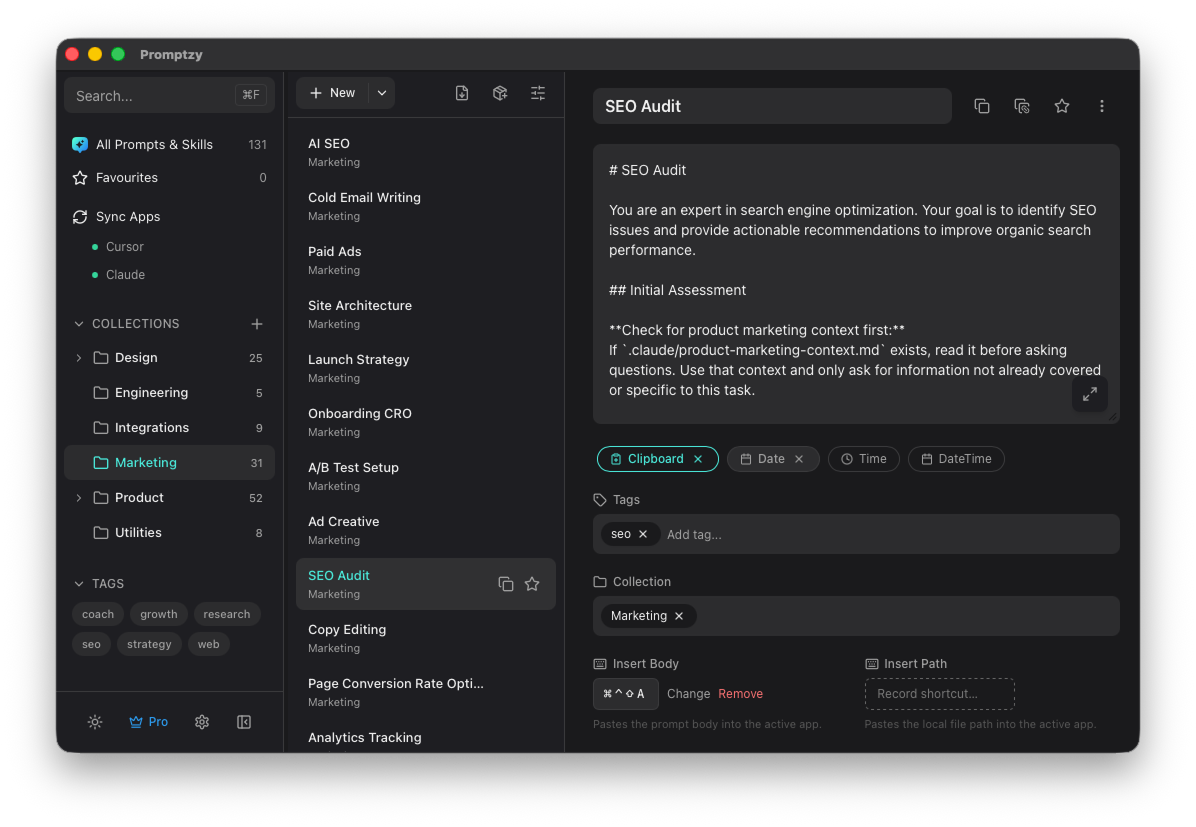
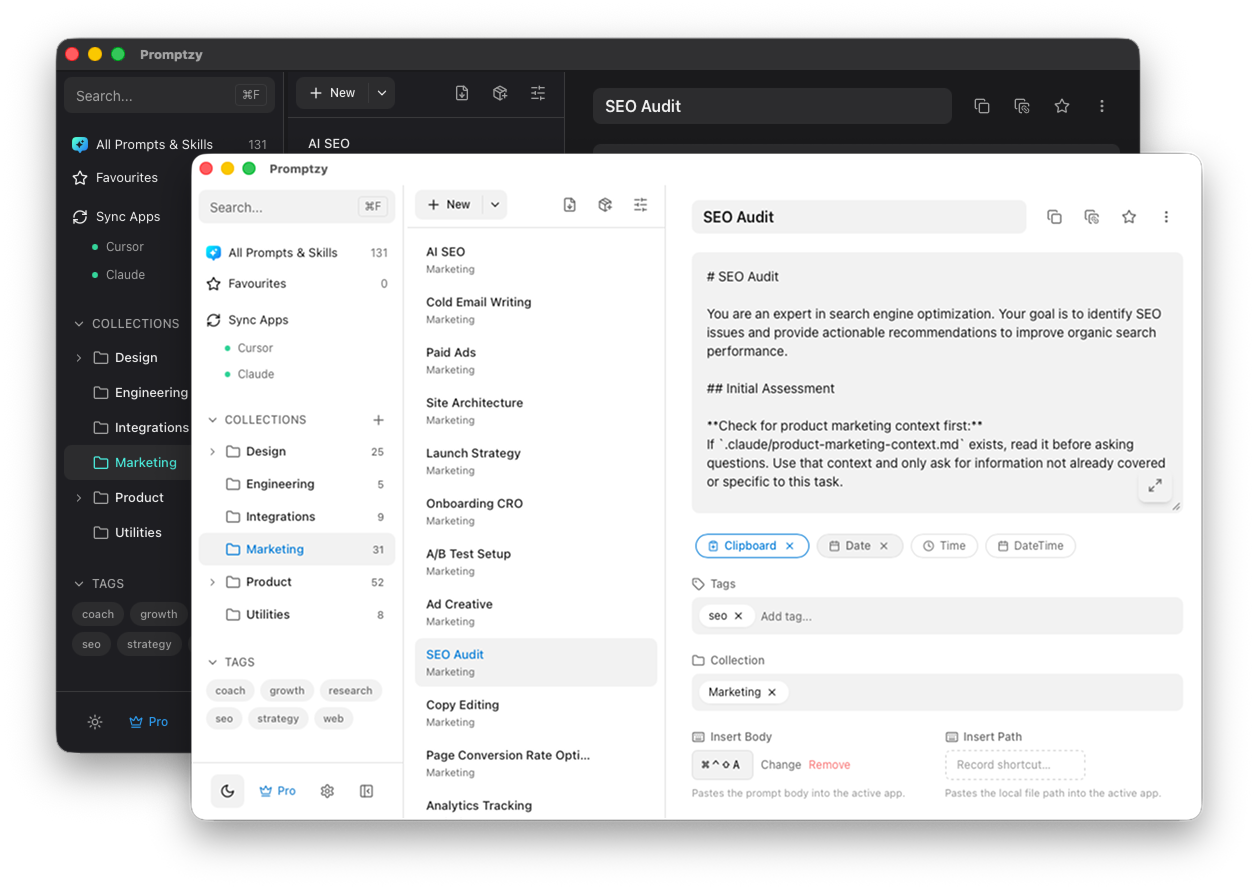
A native macOS skills manager with collections, tags, dynamic tokens, and a full Markdown editor. Organize 100+ skills into collections, assign global shortcuts, and access everything from the sidebar or Spotlight launcher.
- Collections, tags, and favorites
- Dynamic tokens: {{clipboard}}, {{date}}, custom variables
- Per-prompt global keyboard shortcuts
- Plain Markdown storage, no lock-in
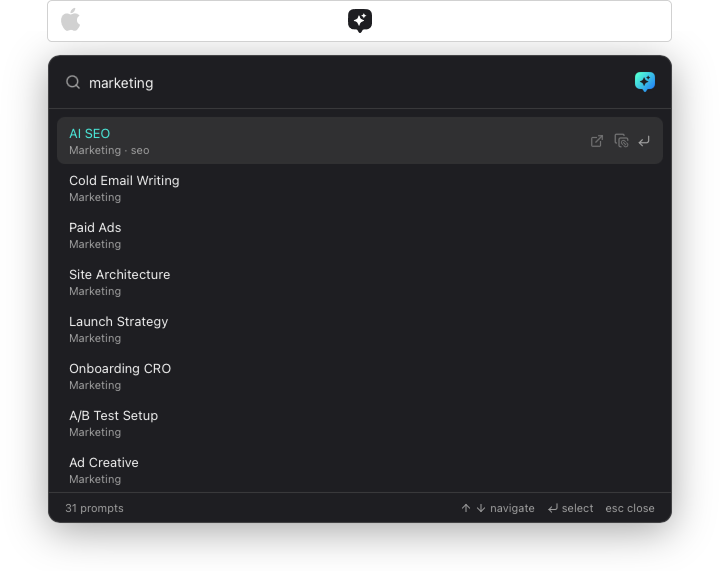
Spotlight-style launcher
Press ⌘⇧P from any app. Fuzzy search your skills and prompts, hit Enter, and it auto-pastes into the active app. Under 2 seconds.
Dark & Light themes
Beautiful in any lighting. Switch between dark and light mode to match your system or personal preference.
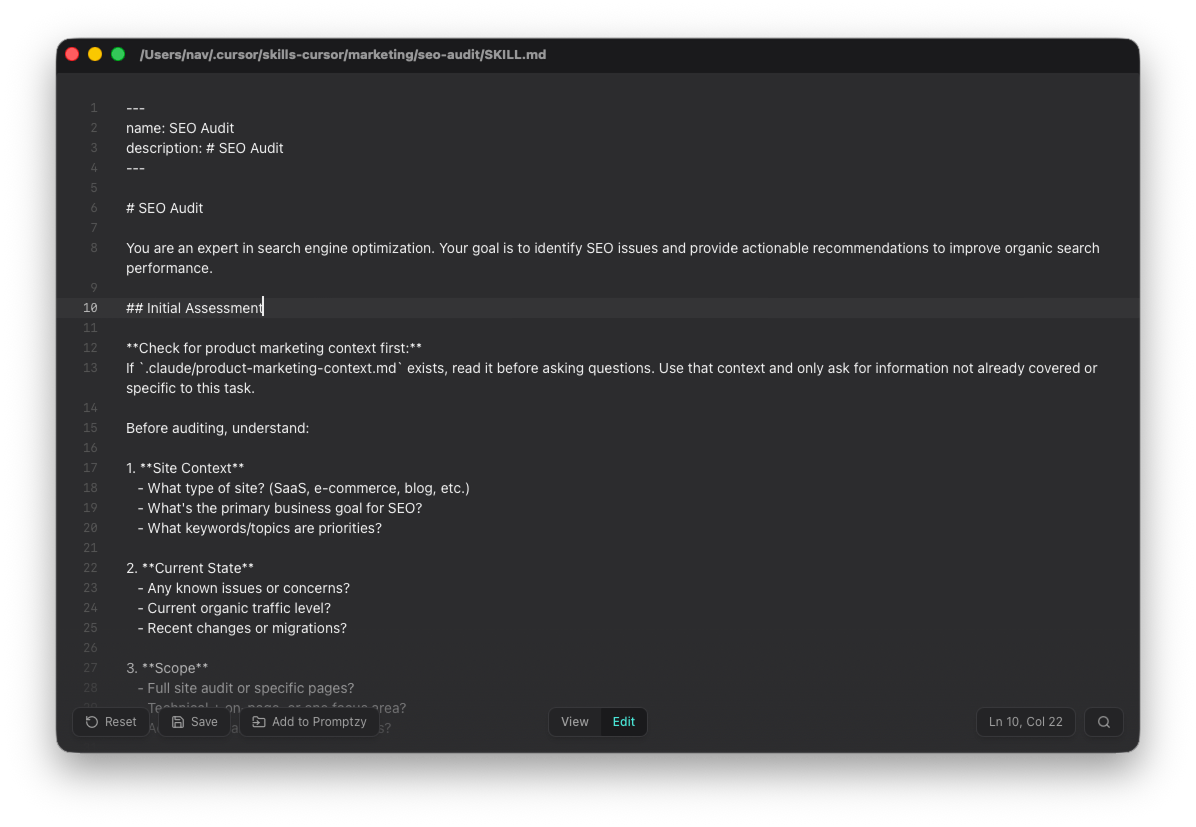
Advanced Markdown editor
Rich view and edit modes with line numbers, find-in-file search. Edit skills or open any .md file on your Mac. Fast and distraction-free.
Built for power users, loved by everyone
A native macOS app for anyone who uses AI skills across multiple tools and needs them to stay in sync.
Multi-directional sync
Sync skills between Claude, Cursor, OpenClaw, and Promptzy. Create a skill in any app and it appears in all the others. No file paths, no manual setup.
Sync management & conflict resolution
See sync status across all connected apps. When versions diverge, Promptzy shows the conflict and lets you pick the source of truth. Full control, zero surprises.
Global shortcut - customizable
Press ⌘⇧P from any app to summon a Spotlight-style launcher. Pick a prompt or skill, hit Enter, and it auto-pastes into the active app. Change the shortcut to whatever you prefer.
Dynamic tokens
Use {{clipboard}}, {{date}}, {{time}}, {{datetime}}, and custom variables like {{name:default}} in your prompts. Tokens are replaced at paste time - build reusable templates that adapt to every context.
Per-prompt keyboard shortcuts
Assign a global hotkey to any prompt and paste it from any app with a single keystroke. No launcher needed - the fastest way to fire your most-used prompts.
Local Markdown vault
Right-click any prompt to copy its path. Reference it directly in Cursor, Claude Code, or any app.
Simple, honest pricing
Start free. Upgrade once. No subscriptions, no recurring fees.
Free
Everything you need to get started
$0
Forever free
- 10 skills or prompts max
- 1 app sync connector
- 1 collection
- Sync management & conflict resolution
- Dynamic tokens ({{date}}, {{time}})
- 10 role-based starter prompts
- Unlimited tags
- Global shortcut (⌘⇧P)
- Auto-paste into any app
- Spotlight launcher
- Markdown-native storage
- Dark + Light themes
- Fuzzy search
- Advanced Markdown editor
Pro
For power users and professionals
$5 one-time
Pay once, own forever
- Unlimited skills & prompts
- Unlimited app sync connectors
- Unlimited collections (with nesting)
- {{clipboard}} dynamic placeholders
- Per-prompt global shortcuts
- iCloud Sync across Macs
- Everything in Free
- Monthly subscription
Syncs with every AI tool you use
Every AI tool has its own skills and instructions. None of them talk to each other. Promptzy syncs them all - one source of truth, every app.
Built for everyone who uses AI
Privacy-first. Your prompts and skills stay on your Mac.
No cloud accounts. No tracking. No telemetry. Promptzy stores everything locally on your machine. iCloud Sync (optional, Pro) uses your own iCloud Drive - we never see your data.
FAQ
From the blog
Guides, tips, and best practices for managing AI skills across every tool you use.
Ready to sync your AI skills everywhere?
One source of truth for Claude, Cursor, OpenClaw, and every AI tool you use. Free to start.
macOS 12+ · Apple Silicon · No account required