
Raycast vs Promptzy: Which Should Mac AI Users Choose?
Raycast is one of the best Mac apps made in the last five years. If you're not using it, you probably should be. That said, "Raycast can do that" is starting to sound a lot like "Excel can do that" — technically true, but not always the right tool for the job.
There's also a more fundamental question for AI users specifically: every AI tool you use (ChatGPT, Claude, Cursor, Windsurf) has its own version of prompt and skill management. None of them talk to each other. Understanding why a dedicated prompt tool matters helps frame this comparison. The real question isn't "Raycast vs Promptzy" — it's whether you want your prompt and skill library locked inside any one tool, or portable across all of them.
For AI prompt management specifically, Raycast and Promptzy overlap in some ways and diverge sharply in others. This comparison is for Mac users who are already using one (or considering both) and want to understand where each one actually fits. For a broader view that includes other options, see our full comparison of prompt managers for Mac.
What Raycast Does
Raycast started as an Alfred replacement and has grown into something much broader. At its core, it's a launcher: press a shortcut, type something, act on it. The things you can act on have expanded enormously — apps, files, browser tabs, calendar events, GitHub PRs, Jira tickets, custom scripts, and yes, snippets.
The snippet feature lets you define text templates with a keyword trigger. Type the trigger in any app and it expands to your full text. It supports some dynamic placeholders like the current date. Raycast Pro adds AI shortcuts that can generate text inline using OpenAI.
For most people with a modest snippet library (under 30 items), Raycast Snippets works fine. For people building a serious AI prompt library, the gaps start to show.
What Promptzy Does
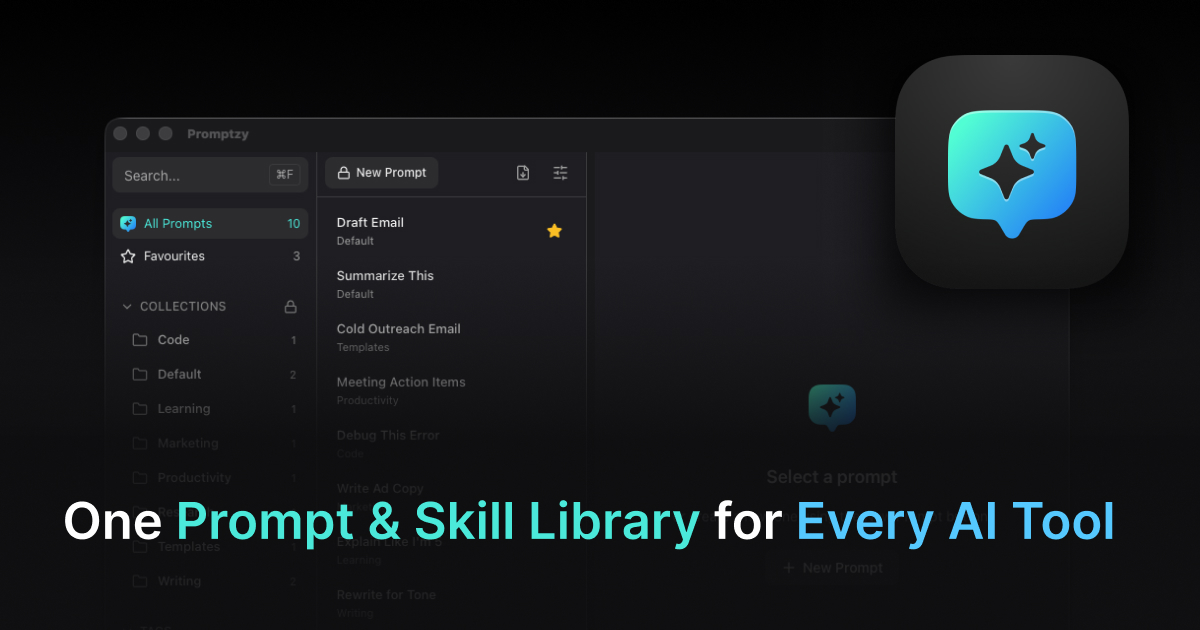
Promptzy is a single-purpose Mac app for AI prompt management. It shares Raycast's idea of a global shortcut launcher — press Cmd+Shift+P from anywhere and a floating search panel appears over your current app. But where Raycast is a generalist, Promptzy is built entirely around prompts.
The things Promptzy does that Raycast doesn't:
{{clipboard}} token. This is the big one. Build a prompt template like "Rewrite this to be more concise: {{clipboard}}" and the token automatically injects whatever you've copied when you fire the prompt. Copy some text, fire the prompt, it's done. Raycast Snippets have no equivalent to this.
Dynamic prompt variables with defaults. Define a variable in your prompt and Promptzy prompts you to fill it in before pasting. Useful for prompts like "Write a LinkedIn post about {{topic}}". You get a small input field before the text pastes.
Per-prompt global hotkeys. Assign Cmd+Opt+R to your code review prompt. That shortcut works from any app, any context, all the time. No launcher needed — one keystroke and the prompt fires. Raycast doesn't offer per-snippet dedicated hotkeys outside of its abbreviation trigger system.
Dedicated prompt editor. Every prompt in Promptzy has a full-screen Markdown editor with syntax highlighting, a token capsule bar (click to insert {{clipboard}}, {{date}}, etc.), version history, tag management, and a visual shortcut recorder. Raycast's snippet editor is a simple text field.
Role-based starter library. When you first open Promptzy, you select your professional role and immediately get 10-30 curated prompts tailored to your work — code review, debugging, and documentation prompts for developers; ad copy and landing page prompts for marketers; and so on. Raycast starts with an empty snippet library.
Plain Markdown storage. Your prompts are .md files on your filesystem. Put them in any folder, sync with Git, open them in VS Code or Obsidian. Raycast stores snippets in its cloud.
Multi-directional skill sync across AI tools. This is the gap Raycast fundamentally cannot close. Promptzy syncs skills between Claude, Cursor, and OpenClaw automatically. Create a skill in one app, it appears in the others. Edit it anywhere, the change flows back. When skills diverge across tools, Promptzy handles conflict resolution so you never lose work. Raycast has no concept of syncing content between AI tools because it isn't built for that. For details on how this works, see our guide to syncing skills across Claude, Cursor, and OpenClaw. No other tool in the prompt management space offers this.
Where Raycast Wins
Being honest about this: Raycast is significantly more capable than Promptzy in every dimension that isn't specifically prompt management.
Raycast's app launching, window management, file search, calculator, unit converter, calendar integration, GitHub/Jira extensions, clipboard history, and AI inline generation features are all excellent and have no equivalent in Promptzy. If you're choosing a primary launcher for your Mac, Raycast is the right choice.
The snippet ecosystem in Raycast also benefits from being built into a launcher people already have open. If you only have 15-20 prompts and don't need clipboard injection or per-prompt hotkeys, Raycast Snippets handles it without adding another app.
Pricing Comparison
| Raycast | Promptzy | |
|---|---|---|
| Base price | Free | Free (10 prompts) |
| Full features | $8/month (Pro) | $5 one-time (Pro) |
| Annual cost | $96/year | $5 forever |
The price difference is significant if you want the full feature set. Raycast Pro at $96/year vs Promptzy Pro at $5 once is a $91/year difference. If you're exploring the broader landscape of snippet tools, our TextExpander alternatives guide covers additional options.
To be fair, Raycast Pro includes AI features, sync, and the full extension ecosystem that go well beyond snippet management. You're paying for a lot more than just snippets. If you're using Raycast Pro for everything it offers, the value calculation is different.
Do You Need Both?
For most Mac AI power users: yes, and they work well together.
Raycast as your primary launcher for everything — apps, files, web search, window management, clipboard history. Promptzy running alongside it, activated specifically with Cmd+Shift+P, for your prompt library.
They don't conflict. The keyboard shortcuts are different by default. The use cases don't overlap in practice: Raycast opens your apps and runs your workflows, Promptzy puts your best AI prompts a keystroke away.
The scenario where you'd use only Promptzy and not Raycast is pretty narrow. The scenario where you'd use only Raycast for prompts and not Promptzy is common for people with small, simple prompt libraries.
The Honest Summary
Use Raycast as your main Mac launcher. There's nothing better right now.
Add Promptzy if you have more than 20-30 AI prompts, use {{clipboard}} injection regularly, want per-prompt keyboard shortcuts, or care about keeping your prompts as local files you fully own.
The $5 one-time cost for Promptzy Pro makes the "both" answer easy — it's the cost of a coffee, not an ongoing subscription commitment.
See all Promptzy features — the free tier gets you started without any payment.
Store and manage your prompts with Promptzy
Free prompt manager for Mac. Search with Cmd+Shift+P, auto-paste into any AI app.
Download Free for macOS