
How to Never Rewrite the Same AI Prompt Twice
Here's a habit almost every AI user develops without noticing: rewriting the same prompt from scratch, over and over.
"Fix the grammar and tone of this email" gets typed fresh every time -- even email prompts you use every day get retyped from scratch. "Review this code for security issues" gets reconstructed from memory every session. "Summarize this for a non-technical stakeholder" gets paraphrased differently each instance. It's not intentional — it just becomes the default because storing and retrieving prompts takes effort too.
There's a deeper version of this problem too. Even when you do save prompts and skills, they end up trapped inside whichever AI tool you saved them in. ChatGPT has custom instructions. Claude has projects. Cursor has rules. None of them travel with you when you switch tools. Every time you adopt something new, you're rebuilding the same library from scratch.
This is the problem worth solving. Once you solve it — both the retrieval friction and the tool-silo problem — the compounding value of a good prompt or skill doesn't decay between sessions or across tools.
Why Static Saved Prompts Often Fail
The obvious fix is to save prompts and skills somewhere. Most people do this — a note in Apple Notes, a Notion page, a folder of .txt files. And then they mostly don't use them. Using a dedicated prompt manager for Mac changes this equation.
The reason is retrieval friction. If finding the right prompt takes 15-20 seconds (open app, navigate to the right note, scroll, copy, switch back to your AI tool, paste), you've replaced one problem with another. The overhead is small enough that re-typing often feels faster in the moment.
There's also a second problem with static saved prompts: they don't adapt to context. A prompt like "Review this code for bugs" is useful, but what you actually want to send is "Review this code for bugs" followed by the specific block of code you're looking at. If you have to manually paste that code in every time, the prompt isn't really reusable — it's just a head start.
The Two Things That Make a Prompt Actually Reusable
Speed of retrieval. The prompt needs to be findable and pasteable in under 3 seconds, from wherever you are, without leaving your current context. Anything slower and you'll default to retyping.
Dynamic context injection. The prompt needs to automatically pick up the variable parts — the code you're reviewing, the document you're summarizing, today's date, a customer name — without you manually assembling them each time.
Get both of these right and a well-crafted prompt has indefinite useful life.
Building Reusable Prompt Templates
The core technique is separating the stable structure of your prompt from the variable context it needs to work. This is where dynamic prompt variables come in.
Take this prompt: "Summarize the following article in 3 bullet points, each under 25 words, for an audience that isn't technical:"
The stable part: the instruction about length, format, and audience. The variable part: the article itself.
Rewritten as a template: "Summarize the following article in 3 bullet points, each under 25 words, for an audience that isn't technical: {{clipboard}}"
Now the workflow is: copy the article → fire the prompt → done. The context is injected automatically.
This works for almost any prompt that involves processing something you have open:
- "Find and explain the bugs in this code: {{clipboard}}"
- "Rewrite this to be more concise and direct: {{clipboard}}"
- "Translate this into Spanish, keeping a professional tone: {{clipboard}}"
- "What are the 3 most important action items from this meeting transcript: {{clipboard}}"
The {{clipboard}} token is the most valuable one, but it's not the only useful variable type.
Date variables handle anything that needs temporal context: "Today is {{date}}. Draft a Monday morning team update that..." Useful for weekly reports, status emails, and anything date-sensitive.
Custom input variables handle the cases where the variable isn't on your clipboard. A prompt like "Write a LinkedIn post about {{topic:our Q1 product launch}}" pauses before pasting and prompts you to fill in the topic — with a default value pre-filled if you set one.
A Practical Prompt Library Structure
Once you're building templates, organization starts to matter. The approach that holds up at scale:
Organize by use case, not by tool. Don't separate "ChatGPT prompts" from "Claude prompts" — a good prompt or skill works across tools. Organize by what you're doing: Writing, Code, Research, Communication, Analysis. The whole point is that your library sits underneath all your AI tools, not locked inside any one of them.
Tag by context. Tags let you cross-cut categories. A code review prompt might live in the Code collection but also be tagged developer, review, quick. Tags enable fast filtering when you know the context but not the exact name.
Keep your top 5-10 on speed dial. Some prompts get used multiple times a day. These deserve dedicated keyboard shortcuts — something you can fire without even opening a search interface.
Name prompts for findability. "Fix grammar" is better than "Writing prompt 3". Start with a verb. Make the name what you'd search for when you need it.
The Retrieval Layer
Templates and organization are only half the system. The other half is getting the prompt into your AI tool as fast as possible.
The pattern that works: a global keyboard shortcut that opens a search interface over your current app. You type a few letters, the right prompt appears (fuzzy matching, so partial matches surface results), hit Enter, and it pastes directly into whatever input field you were in.
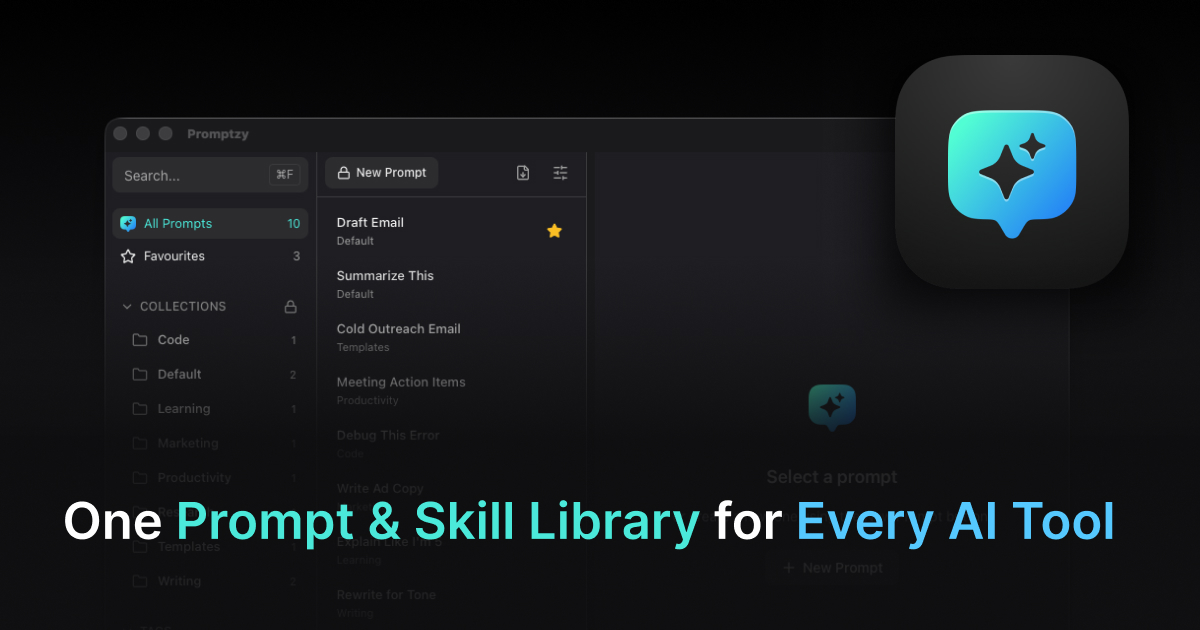
This is what Promptzy does — Cmd+Shift+P from anywhere opens a launcher over your active app, you search by prompt name or tag, and the selected prompt (with all tokens resolved) pastes into your cursor position. The whole flow is under 2 seconds. When you need to tweak a template, Promptzy's built-in Markdown editor gives you a clean, distraction-free writing surface with line numbers and search -- no need to open a separate text editor. And because prompts are stored as plain Markdown files on your Mac (not inside any AI tool), they're referenceable by file path from Cursor, Claude Code, or whatever you're using. The library travels with you.
The key is that the retrieval doesn't require switching apps or navigating a folder structure. You stay in flow.
The Next Evolution: Skills That Sync Across Tools
Once you've built a prompt library that lives outside any single AI tool, the next question is obvious: can it stay in sync across all of them automatically? The answer, now, is yes. Promptzy's multi-directional skill sync means you don't even need to paste anymore for tools that support it natively. Create a skill in Claude, and it appears in Cursor and OpenClaw automatically. Edit it in any app, and the change flows to the others.
This matters because the silo problem doesn't just apply to storage. It applies to workflow. If you refine a debugging prompt while working in Cursor, that improvement should be available the next time you open Claude. With sync, it is. And when skills diverge between tools, Promptzy's built-in conflict resolution handles it cleanly. The shift from "prompts" to "skills" is worth understanding too. We break down the difference between AI skills and AI prompts in a separate post.
Making It Stick
The system only works if the prompts are good enough to be worth reusing. A few things that help:
Revise after each use. When you use a prompt and it produces a mediocre result, spend 30 seconds improving the template. Tighter prompts compound in value. For example, proven ChatGPT prompts for developers only reach that level after rounds of iteration.
Add constraints explicitly. "Write a subject line" gets more consistent results as "Write 5 subject line options, each under 50 characters, for a professional B2B audience."
Version your best prompts. When you make a significant change to a prompt that's working, keep the old version. Sometimes you'll want to go back.
Note what models work best. Some prompts work better with Claude's extended thinking. Some work better with ChatGPT's speed. A short note in the prompt itself saves you from rediscovering this each time.
The goal isn't a large prompt and skill library — it's a useful one. Twenty prompts you actually use every day are worth more than 200 you saved and forgot about. And keeping them as portable files you own, rather than locked inside any single tool, means they stay valuable no matter which AI you're using next month. Ready to start? Save and organize your prompts in one place and stop rewriting from scratch.
Store and manage your prompts with Promptzy
Free prompt manager for Mac. Search with Cmd+Shift+P, auto-paste into any AI app.
Download Free for macOS