
Best AI Prompt Managers for Mac in 2026 (Tested & Ranked)
Here's a problem most people don't talk about: every AI tool you use has its own version of prompt and skill management. ChatGPT has custom instructions. Claude has projects. Cursor has rules. They all let you save prompts and skills. But they're completely siloed. Your library in one tool doesn't travel to the next.
The result: every time you adopt a new AI tool, you're rebuilding from scratch. And your best prompts are also scattered across Notes, Notion, a few stray text files, and Slack messages to yourself.
A good AI prompt manager fixes both problems: it's the one library that sits underneath all your AI tools, not locked inside any of them. If you're not yet convinced you need one, we explain why you need a prompt manager in the first place. Here's an honest look at what's available for Mac in 2026.
What Makes a Good AI Prompt Manager?
Before getting into specific tools, it helps to agree on what actually matters:
Retrieval speed. The whole point is getting the right prompt into your AI tool as fast as possible. If it takes more than 3-4 seconds, you're just replacing one friction with another.
Dynamic variables. Static prompts are fine. Prompts that auto-inject your clipboard, today's date, or a custom input are genuinely better — you write the template once and it works every time. We go deeper on how dynamic variables in prompt templates change the game.
No lock-in. Your prompt library is valuable. If it's trapped in a proprietary format or a cloud service that might shut down, you're taking on risk you don't need to.
Works with everything. You might use ChatGPT today, Claude tomorrow, and Cursor on Thursday. Your prompt manager should paste into all of them, not just one.
Promptzy
Best for: Mac users who use multiple AI tools and want one prompt and skill library that works across all of them, with multi-directional sync between Claude, Cursor, and OpenClaw.
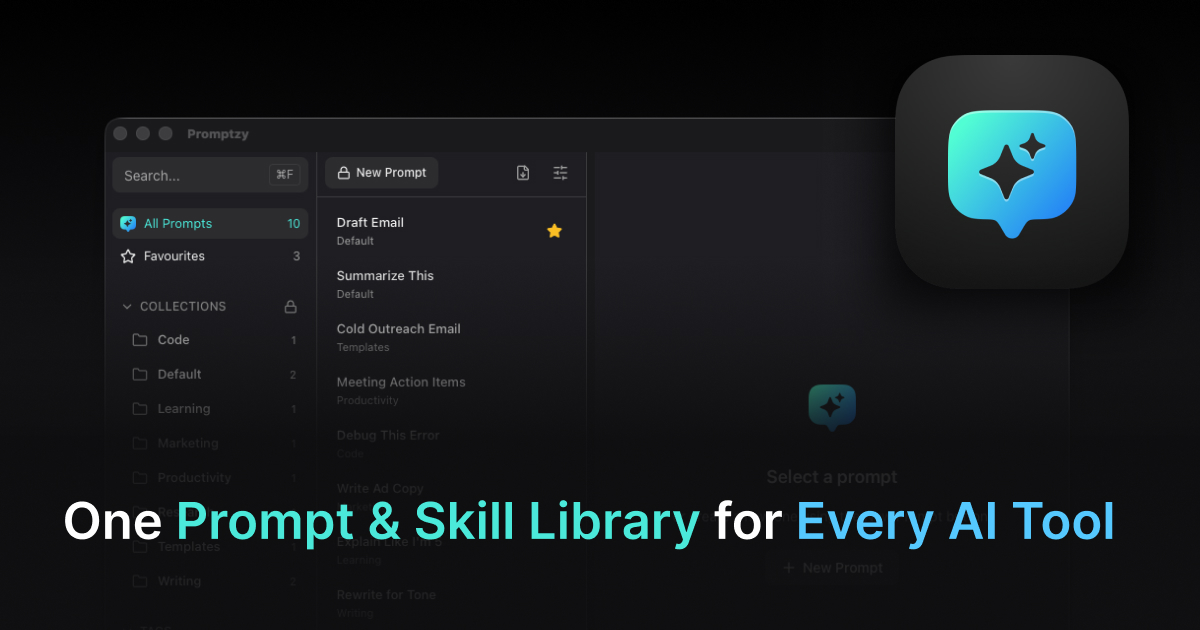
Promptzy is built around a specific insight: your prompts and skills shouldn't be trapped inside the tool you're currently using. They're stored as plain Markdown files on your Mac, referenceable by file path from Cursor, Claude Code, or any AI tool. Press Cmd+Shift+P from anywhere and a fuzzy search launcher appears. Type a few letters, hit Enter, and the prompt is pasted into whatever you were doing. The whole flow takes under 2 seconds.
Multi-directional skill sync is the feature that puts Promptzy in a different category entirely. Create a skill in Claude, and it automatically appears in Cursor and OpenClaw. Edit it in Cursor, and the update flows back. Promptzy handles conflict resolution when skills diverge across tools, so you never lose work. No other prompt manager on this list offers anything like cross-app skill sync. If you use more than one AI tool (and in 2026, most people do), this alone justifies the switch. For a deeper look, see our guide to the best AI skills manager for Mac.
What sets it apart from the field is the combination of features it gets right simultaneously:
Dynamic tokens let you build prompts that auto-populate context at paste time. {{clipboard}} injects whatever you've copied, so a prompt like "Review this code for security issues: {{clipboard}}" works every time without you manually pasting. {{date}} injects today's date. Custom variables prompt you for input before pasting. These aren't gimmicks — they fundamentally change how reusable a prompt can be.
Per-prompt global keyboard shortcuts mean you can bind Cmd+Opt+R to your code review prompt and fire it from anywhere on your Mac with a single keystroke. No search needed.
A built-in Markdown editor means you can write and edit prompts directly in Promptzy -- a lightweight, distraction-free interface with line numbers and search. No need to open VS Code or another editor just to tweak a template.
Plain Markdown storage is the architectural choice that matters most long-term. Every prompt is just a .md file in a folder you choose. Open them in VS Code, sync with Git, edit in Obsidian — Promptzy is just the fastest retrieval layer. If it disappeared tomorrow, your prompts would still be perfectly organized files.
Pricing: Free (10 prompts, 1 collection) or $5 one-time for Pro (unlimited everything, iCloud Sync, {{clipboard}} token, per-prompt shortcuts).
Download Promptzy to try the free tier.
PromptBox
Best for: Teams already living in Chrome who want cloud sync.
PromptBox is a Chrome extension and web app for saving and using prompts inside the browser. It integrates directly with ChatGPT's interface, which is convenient if 90% of your AI work happens in that one tab.
The limitations are real though. It only works inside the browser — there's no global shortcut, no system-wide paste, no way to fire a prompt into Cursor or a local editor. If you have a multi-app workflow, PromptBox doesn't follow you there.
Dynamic variables are limited, and the storage is cloud-based, which means an account and ongoing trust in the service's longevity.
Pricing: Subscription at ~$8/month.
Verdict: Good if you're ChatGPT-only and comfortable with cloud storage. Not built for Mac power users.
TextExpander
Best for: Text expansion across all apps, not specifically AI prompts.
TextExpander is the veteran of this category — it's been doing text expansion on Mac for well over a decade and it's excellent at it. You type an abbreviation (like ;cr) and it expands to your full text. It works system-wide, supports variables, and has team features.
The issues for AI prompt users specifically:
First, it's not designed for discovery. TextExpander assumes you remember your abbreviations. If you have 200 prompts, you either memorize abbreviations for all of them or you don't use most of them. There's no fuzzy search launcher.
Second, the {{clipboard}} equivalent requires a specific setup and isn't as fluid as a dedicated prompt manager.
Third, at $3.33-8.33/month per user, it's one of the more expensive options for what it does.
Pricing: Subscription, ~$40-100/year.
Verdict: Excellent text expansion tool. Not purpose-built for AI prompt workflows, but works if you already have it. If you're considering moving away from it, see our TextExpander alternatives breakdown.
Raycast Snippets
Best for: People already deep in the Raycast ecosystem.
Raycast is an excellent macOS launcher that has grown to include snippets, AI shortcuts, and a lot more. If you're already using Raycast as your Alfred replacement, its snippet feature is worth exploring.
The gap is that prompt management is one small feature inside a general-purpose launcher. There's no dedicated prompt editor, no role-based starter library, no dynamic token system designed for AI workflows, and no version history on individual prompts.
It's the difference between a Swiss Army knife and a chef's knife. Raycast does many things well. Prompt management isn't where it's focused.
Pricing: Free tier available. Raycast Pro is $8/month.
Verdict: Worth using for everything else Raycast does. For serious prompt management, it's not purpose-built enough. For a detailed head-to-head, see our Raycast vs Promptzy comparison.
Espanso
Best for: Developers who prefer YAML config files and open-source tools.
Espanso is a free, open-source text expander that works by detecting trigger words and replacing them with expanded text. It's powerful and highly configurable — if you want to write YAML to define your prompt library, Espanso handles it.
The accessibility issue is significant: there's no GUI, no search interface, no visual editor. Everything is managed in config files. If you're comfortable in a terminal and want full control, Espanso is a great choice. For anyone else, the learning curve is steep and the workflow isn't suited to quick prompt retrieval.
Pricing: Free and open-source.
Verdict: Best free option for technical users. Not practical for non-developers or anyone who wants a visual interface.
Side-by-Side Comparison
| Feature | Promptzy | PromptBox | AIPRM | TextExpander | FlashPrompt | Raycast | Espanso |
|---|---|---|---|---|---|---|---|
| Multi-directional skill sync | ✅ Claude, Cursor, OpenClaw | ❌ | ❌ | ❌ | ❌ | ❌ | ❌ |
| Conflict resolution | ✅ Source of truth selection | ❌ | ❌ | ❌ | ❌ | ❌ | ❌ |
| Sync management dashboard | ✅ Status per app | ❌ | ❌ | ❌ | ❌ | ❌ | ❌ |
| Global shortcut | ✅ Cmd+Shift+P | ❌ Browser only | ❌ Browser only | ✅ Abbreviations | ❌ Browser only | ✅ | ✅ Abbreviations |
| Auto-paste to any app | ✅ | ❌ | ❌ | ✅ | ❌ | ✅ | ✅ |
| Dynamic tokens (date, time) | ✅ | ❌ | ❌ | ❌ | ❌ | ❌ | ❌ |
{{clipboard}} token |
✅ Pro | ❌ | ❌ | Workaround | ❌ | ❌ | Workaround |
| Per-prompt hotkeys | ✅ Pro | ❌ | ❌ | ❌ | ❌ | ❌ | ❌ |
| Fuzzy search launcher | ✅ | Limited | ❌ | ❌ | ✅ | ✅ | ❌ |
| Advanced Markdown editor | ✅ Rich view + edit | ❌ | ❌ | ❌ | ❌ | ❌ | ❌ |
| Collections, tags, favorites | ✅ Collections + tags | ❌ Folders only | ❌ | ❌ Groups | ❌ Folders | ❌ | ❌ |
| Local storage (no cloud lock-in) | ✅ .md files | ❌ Cloud | ❌ Cloud | ❌ Cloud | ✅ Local | ❌ Cloud | ✅ YAML |
| iCloud Sync across Macs | ✅ Pro | ❌ | ❌ | ✅ | ❌ | ✅ | ❌ |
| Role-based starter library | ✅ 16 roles | ❌ | ❌ | ❌ | ❌ | ❌ | ❌ |
| Import/export .zip packs | ✅ | ❌ | ❌ | ❌ | ✅ CSV | ❌ | ❌ |
| macOS native | ✅ | ❌ Chrome | ❌ Chrome | ✅ | ❌ Chrome | ✅ | ✅ |
| Dark + Light themes | ✅ | N/A | N/A | ✅ | N/A | ✅ | N/A |
| Pricing | ✅ Free / $5 once | ❌ ~$8/mo | ❌ Free-$999/mo | ❌ ~$40-100/yr | ✅ $7 once | ❌ $8/mo | ✅ Free |
The top three rows tell the story: Promptzy is the only tool that syncs skills across AI apps, resolves conflicts when they diverge, and gives you a dashboard to manage it all. Every other tool on this list leaves your skills siloed inside individual apps.
Which One Should You Choose?
If you want the fastest retrieval and the most control: Promptzy. The Cmd+Shift+P launcher, dynamic tokens, and local Markdown storage make it the most complete option for AI-heavy Mac workflows. The $5 one-time Pro price removes the recurring cost objection entirely.
If you're already a Raycast user and your prompt library is small: Raycast Snippets are good enough. Don't buy another tool just for prompts if you have under 20 of them and a simple workflow.
If you're in a team environment and need collaboration: TextExpander's team features are mature and worth the cost if you're already on a plan.
If you're a developer who enjoys configuration: Espanso is free, powerful, and gets out of your way.
If you only use ChatGPT in the browser and want cloud sync: PromptBox is purpose-built for that.
For most Mac users who use multiple AI tools, the core value Promptzy delivers is being the one prompt and skill library that works across all of them. Not siloed in ChatGPT. Not siloed in Cursor. Just local Markdown files that any tool can reference, with a fast launcher on top. That's the combination no other tool in this list offers. See Promptzy's full feature set to decide if it fits your workflow.
Store and manage your prompts with Promptzy
Free prompt manager for Mac. Search with Cmd+Shift+P, auto-paste into any AI app.
Download Free for macOS