
TextExpander Alternatives for Mac in 2026 (AI-Focused)
TextExpander is a great product. It's also $40-100 per year, forever. For a lot of people, that recurring cost is increasingly hard to justify — especially when their main use case has shifted from expanding email signatures to managing AI prompts.
If you're looking for a TextExpander alternative on Mac in 2026, the answer depends on what you actually need it for. For many users, the shift is happening because prompt-specific tools are replacing general text expanders entirely. Here's a clear breakdown of what's available and which situations each one fits.
Why People Are Looking for TextExpander Alternatives
The most common reasons come down to three things:
The price has crept up. TextExpander started as a one-time purchase, moved to a subscription, and has raised prices over the years. At $3.33-8.33/month per user, a solo professional pays $40-100/year for text expansion. That's real money for a utility.
The use case has changed. A lot of people originally used TextExpander for signatures, boilerplate email templates, and short snippets. In 2026, the main thing they're expanding is AI prompts — and TextExpander wasn't designed for that. No fuzzy search launcher, no {{clipboard}} injection for pasting code or context, no purpose-built prompt editor.
The subscription model feels wrong for this category. Text snippets don't require server infrastructure. Cloud sync is a feature, not a service. Paying every month for something that could reasonably be a one-time purchase has started to feel off to a lot of users.
The Best TextExpander Alternatives for Mac
Promptzy — Best for AI Power Users
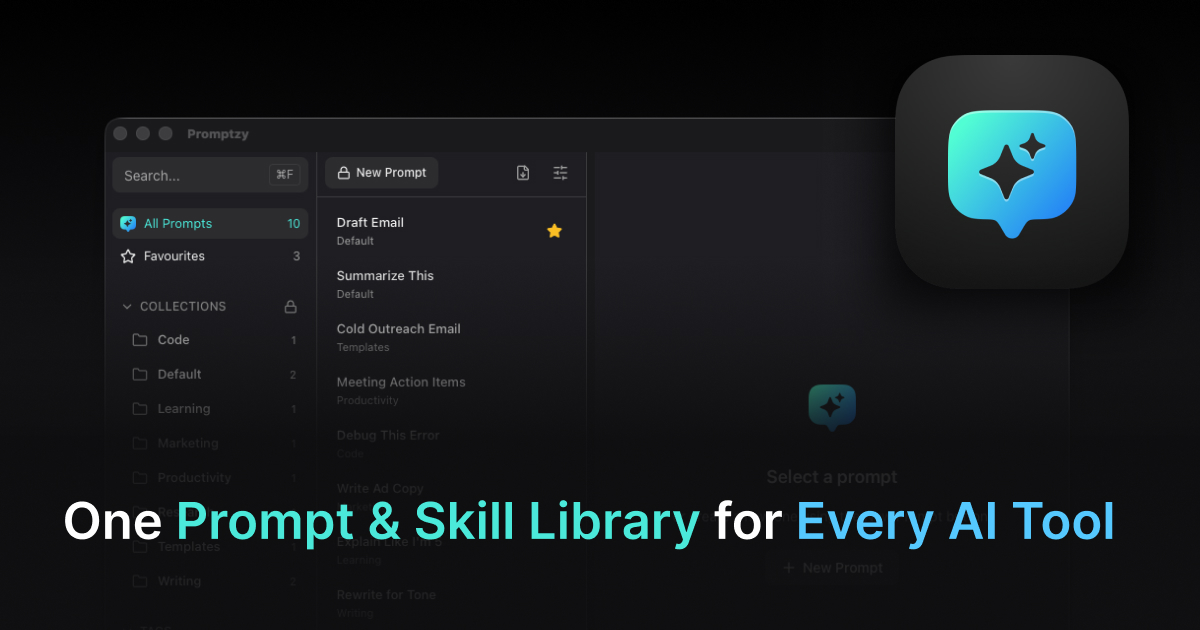
If the reason you're using TextExpander is primarily to store and quickly access AI prompts, Promptzy is the purpose-built replacement.
The core difference: Promptzy is designed from the ground up for AI prompt workflows. Instead of trigger abbreviations, you get a Cmd+Shift+P launcher that appears over any app — type a few letters to fuzzy-search your library, hit Enter, and the prompt is pasted instantly. It's faster than remembering and typing an abbreviation, especially when your library grows beyond 20-30 items.
Where it genuinely beats TextExpander for AI users:
The {{clipboard}} token and dynamic variables for AI prompts. Copy a block of code or a long article, then fire a prompt. The clipboard contents are automatically injected at the {{clipboard}} marker. TextExpander can do something similar with a fill-in field, but it's not as fluid. For prompts like "Summarize this for a non-technical audience: {{clipboard}}" or "Find bugs in this code: {{clipboard}}", it's a workflow changer.
Per-prompt global keyboard shortcuts. Assign Cmd+Opt+1 to your most-used prompt. From that point on, one keystroke fires the whole thing — no launcher needed. TextExpander does this with abbreviations, but abbreviations require memory. A dedicated hotkey is faster once it's set.
Plain Markdown storage. Every prompt is a .md file on your Mac. Open them in VS Code or Obsidian, sync with Git, put them in Dropbox — you own the files. TextExpander uses its own format and stores snippets in its cloud, which means dependency on the service continuing.
Pricing: Free tier with 10 prompts. Pro is a one-time $5 payment. Not a subscription.
Try Promptzy free — the free tier is genuinely useful for getting started.
Raycast Snippets — Best Free Option for Existing Raycast Users
If you already use Raycast as your app launcher (and if you're a Mac power user, there's a good chance you do), its built-in Snippets feature handles basic text expansion well.
You define snippets with a keyword trigger or search for them via Raycast's main launcher. It works system-wide, supports dynamic date insertion, and the free tier is generous. For a detailed head-to-head, see Raycast vs Promptzy.
The limitations: no {{clipboard}} injection, no per-snippet hotkeys, no dedicated prompt editor, and the snippet management UI is fairly basic. If your library is small (under 30 snippets) and your prompts are mostly static text, Raycast Snippets is probably enough.
Pricing: Free on the base plan. Raycast Pro (with AI features) is $8/month.
Espanso — Best Free Option for Developers
Espanso is open-source, free, and works via trigger abbreviations you define in YAML config files. It's powerful — you can define complex match rules, use regex triggers, and pipe through scripts — but it requires comfort with config files and a text editor.
There's no GUI, no search interface, no visual prompt editor. For a developer who wants full control and doesn't mind YAML, it's excellent. For anyone else, the onboarding is rough.
Pricing: Free and open-source.
Keyboard Maestro — Best for Complex Automation
Keyboard Maestro is in a different category from simple text expansion. It's a full Mac automation tool that can expand text, run scripts, control apps, and respond to dozens of trigger types. If your snippets ever involve logic (if/then conditions, loops, running terminal commands), Keyboard Maestro handles it.
The downside: it's overkill for most text expansion needs, and the learning curve is steep. At $36 one-time, the price is reasonable for what it does.
Pricing: $36 one-time purchase.
Alfred — Best for Power Users Who Want It All
Alfred is a macOS launcher that, with the Powerpack add-on, supports snippets and text expansion. The snippet management is more capable than Raycast's, with support for dynamic placeholders and a visual snippet editor.
Like Raycast, snippets are one feature inside a broader launcher. For serious prompt management at scale, the same limitations apply: no purpose-built prompt editor, no fuzzy search dedicated to snippets, no AI-specific features like clipboard injection.
Pricing: Free launcher. Powerpack (required for snippets) is £34 one-time.
Feature Comparison
| Feature | Promptzy | Raycast | TextExpander | Espanso | Keyboard Maestro |
|---|---|---|---|---|---|
| Global search launcher | ✅ | ✅ | ❌ | ❌ | ❌ |
| Trigger abbreviations | ❌ | ✅ | ✅ | ✅ | ✅ |
{{clipboard}} injection |
✅ Pro | ❌ | Workaround | Workaround | ✅ |
| Per-item hotkeys | ✅ Pro | ❌ | ❌ | ❌ | ✅ |
| Local file storage | ✅ Markdown | ❌ Cloud | ❌ Cloud | ✅ YAML | ✅ |
| GUI editor | ✅ | Limited | ✅ | ❌ | ✅ |
| Pricing | Free / $5 once | Free / $8/mo | $40-100/yr | Free | $36 once |
| AI-specific features | ✅ | ❌ | ❌ | ❌ | ❌ |
Why Text Expanders Fall Short for AI Workflows
There's a more fundamental issue with using any traditional text expander for AI work in 2026: they can't sync skills between AI applications. Your AI workflow now spans Claude, Cursor, OpenClaw, and more. A text expander can paste text into any of them, but it can't keep your skill library synchronized across them. When you refine a prompt in Cursor, that improvement doesn't flow back to Claude. When you create a new skill in Claude, it doesn't appear in your editor.
Promptzy solves this with multi-directional skill sync. Create a skill anywhere, and it appears everywhere. That's a capability no text expander, old or new, was designed to offer. If you're evaluating your options, our best AI skills manager for Mac guide covers this shift in depth.
How to Choose
Switching from TextExpander because of subscription cost: The best straight swap is Promptzy ($5 once) if your primary use is AI prompts, or Alfred Powerpack (£34 once) if you want a full snippet library with abbreviation-style triggers. For a broader comparison, see our best prompt managers for Mac roundup.
Switching because TextExpander doesn't work well with AI tools: Promptzy is the direct answer. The search launcher, clipboard token, and per-prompt shortcuts fill exactly the gaps that TextExpander has for AI workflows.
Happy with the feature set but want something free: Espanso if you're technical, Raycast Snippets if you're already a Raycast user.
Need complex automation beyond text expansion: Keyboard Maestro.
The subscription model worked when TextExpander was the only real option. In 2026, there are strong alternatives for every use case — most of them cheaper, and several of them one-time purchases. If AI prompts are your main use case, try Promptzy as a TextExpander alternative and see the difference a purpose-built tool makes.
Store and manage your prompts with Promptzy
Free prompt manager for Mac. Search with Cmd+Shift+P, auto-paste into any AI app.
Download Free for macOS