
The 25 Best AI Prompts for Meeting Notes and Summaries
Most meeting notes fail in one of two ways. Either they capture everything and nobody reads them, or they capture nothing useful and the decisions evaporate by Friday. The middle ground is turning a 45-minute transcript into something a busy person will actually read, and that is what AI is genuinely good at. The trick is asking the prompt for the right things in enough detail that the output is usable on the first try. A four-line prompt gives you a four-line summary you could have written yourself. A real prompt does the structural thinking for you.
Below are 25 prompts I run against raw transcripts. Otter, Granola, Fathom, Zoom captions, hand-typed notes, it all works. Each one expects you to paste the transcript or notes into {{clipboard}}. Once you find the four or five that fit the meetings you actually run, save them somewhere you can fire in two seconds instead of rebuilding them every Monday.
Jump to a section
Action items and decisions
1. Extract action items from a transcript
You are reviewing a meeting transcript to produce a clean action items list that the team can act on first thing Monday morning without ambiguity. Your job is to separate real commitments from things that were merely discussed.

Here is the transcript:

{{clipboard}}

For every action item that was actually committed to, extract the following fields:

1. Owner. The specific person who took the action. If multiple people were involved, identify the primary owner and list any supporting people separately. If no owner was named, write "OWNER TBD" and suggest the most likely candidate based on context, marked as a suggestion.

2. Action. A one-sentence description of what was committed to. Be specific about the deliverable. Not "follow up with marketing" but "send marketing the Q2 launch dates". Use the verb the person actually used in the meeting where possible.

3. Deadline. An explicit date if one was mentioned. If they said "by end of week", resolve it to the actual day of the week. If no deadline was mentioned, write "DATE TBD" rather than guessing.

4. Dependency. Whether this action is blocked by something else, and if so, what.

Only include actual commitments. Do not include things people merely floated, debated, or said they "might" do. If something was discussed but no one took it on, list it under a separate "Discussed but not committed" section so nothing is lost. Skip any actions that were explicitly cancelled or moved to a future meeting. Format the output as a numbered list with bold owner names. At the end, add a one-line confidence note flagging anything you were unsure about.
2. Pull the decisions made versus things discussed
You are producing a decision log from a meeting transcript. The goal is to capture only the decisions that were actually made, in language clear enough that someone reading this in three months will understand what was chosen and why.

Here is the transcript:

{{clipboard}}

For each decision, capture:

1. The decision itself, in one sentence. Write it as a present-tense statement of what is now true. Not "we will probably go with option B" but "we are going with option B".

2. Who made it. Name the person or group with decision authority. If the decision was made by consensus, say so explicitly. If it was made by one person overruling others, capture that too.

3. Alternatives considered. List the other options that were weighed, even briefly. This is the part future-readers will care about most when they ask "why did we do it that way?"

4. The reasoning. The strongest one or two arguments that tipped the call. Quote the meeting where it helps.

5. Reversibility. Mark each decision as either "easy to reverse" or "hard to reverse" based on what was said about cost, dependencies, or external commitments.

Ignore discussion that did not reach a conclusion. If something was deferred to a later meeting, list it in a separate "Deferred" section with the reason. If a decision was made and then immediately revisited and changed, capture only the final version but note that it was reopened. Do not invent decisions that were merely implied.
3. Surface unresolved questions
You are reading a meeting transcript to find every question that came up but never got a complete answer. These are the things that turn into next week's blockers if nobody chases them down.

Here is the transcript:

{{clipboard}}

For each unresolved question, capture:

1. The question itself, in plain language. Rewrite long rambling questions into one clear sentence.

2. Who raised it. Name the person and, if relevant, the team or role they were speaking from.

3. Why it matters. A one-line statement of what depends on this answer. If nothing visibly depends on it, mark it as "low stakes" so the reader can decide whether to bother chasing it.

4. Who is best positioned to answer it. Either the person who was tagged in the meeting, or your best guess based on context. If you are guessing, label it as a guess.

5. What is needed to answer it. Data, a stakeholder conversation, a technical investigation, or just a decision from someone with authority.

Group the output into three buckets: "Blocking" (work cannot proceed without this), "Important but not blocking" (work can proceed but the answer affects direction), and "Nice to know" (lower stakes, but worth tracking). Skip rhetorical questions and questions that were answered later in the same meeting.
Meeting summaries
4. Write a 5-bullet summary
You are writing a tight 5-bullet summary of a meeting that someone will read in 30 seconds. The reader was not in the room and does not have time for narrative context. Every bullet must earn its place.

Here is the transcript:

{{clipboard}}

Use exactly these five bullets, in this order:

1. What we decided. The single most important decision, stated in present tense. If multiple decisions were made, pick the one with the highest impact and mention the others in one phrase.

2. What we agreed to do. The top one or two action items, with owner and deadline if known.

3. What we disagreed on. Any unresolved tension or open argument. Be honest about the disagreement, name the people if it helps, and do not paper over it. If everyone agreed on everything, write "no major disagreements" and leave it at that.

4. What is blocked. Anything that cannot move forward without an external input, decision, or unblock. Be specific about what the blocker is.

5. What is next. The next concrete step that will happen, with a date if one was mentioned, and who will trigger it.

Rules. No filler. No "the team had a productive discussion." If a bullet would be empty, leave it out rather than padding it. Do not use the word "synergy" or any phrase you would expect on a corporate slide.
5. Write a one-paragraph summary for someone who missed it
You are writing a single tight paragraph for a teammate who could not attend the meeting. They need to know just enough to walk into their next conversation informed and to do their own work without surprises. Aim for 100 to 130 words.

Here is the transcript:

{{clipboard}}

The paragraph should cover, in this order:

1. What the meeting was actually trying to figure out. One short clause that frames the topic so the reader has context for the rest.

2. What was decided or where the conversation landed. Be direct. If no decision was made, say so plainly.

3. What it means for the reader specifically. Anything they need to do, anything that affects their work, or any new constraint they should know about. If nothing in the meeting affects them, say "nothing here directly affects you" so they can move on.

4. What is happening next. The next step or next meeting, with a date if known.

Write in plain conversational sentences, the way you would brief a colleague over coffee. No bullet points, no headers, no preamble like "in summary". Skip everything that does not matter to this specific reader. Do not pad to hit the word count if the meeting was short.
6. Write an exec-level summary
You are summarising a meeting for an executive who was not in the room. They will skim the first sentence, decide whether to keep reading, and stop the moment it stops being relevant. Lead with the punchline. Save context for later.

Here is the transcript:

{{clipboard}}

Structure the summary in this order:

1. The headline (one sentence). The decision, recommendation, or status that the exec most needs to know. If you had to send a one-line Slack message, this would be it.

2. The two or three facts that justify the headline. Numbers where possible. Specific dates, percentages, or named risks rather than vague language.

3. The risk. One sentence on what could go wrong, framed in business terms (revenue, customer impact, timeline slippage, team capacity). If there is no meaningful risk, skip this section rather than inventing one.

4. The ask. What you specifically need from the exec. A decision, an introduction, air cover, budget, or just acknowledgement. If you need nothing, say "no action needed from you" so they can stop reading.

Total length should be under 200 words. Use plain English, not jargon. Assume the exec is smart but does not know the operational details. Do not start with "I wanted to update you" or "Following up on our discussion". Get straight to the point.
You can swap audience and tone with variables so the same base prompt produces a CEO summary, a team summary, or a customer-facing recap.
1:1s and team meetings
The 1:1 prompts are the ones I use most. Memory is the worst place to store what your reports said two weeks ago, and notes apps are the second worst.
7. Summarise a 1:1 into manager notes
You are converting raw 1:1 notes into structured manager notes that you will reread before the next 1:1 with the same person. The point is to remember what they told you, surface patterns over time, and never make them repeat themselves.

Here are the raw notes:

{{clipboard}}

Produce a structured note with these sections:

1. What they are working on. The top two or three things on their plate right now. Skip everything they only mentioned in passing.

2. What is going well. Specific wins, moments of confidence, or things they sounded energised by. Quote phrases where useful.

3. What is hard. Blockers, frustrations, things they are stuck on. Distinguish between things they can solve themselves, things they need from me, and things that are systemic.

4. What they want to grow in. Skills, scope, projects, exposure. Even if they only hinted at it, capture the hint.

5. Concerns to track. Anything that worried me, any early signal of disengagement, burnout, or interpersonal friction. Be honest in this section. These notes are for me, not for them.

6. Follow-ups for next 1:1. Specific things to ask about next time, framed as questions I would actually ask. Not "check in on Project X" but "ask how the launch went and whether the QA bottleneck got resolved".

Tone: my private notes, not a report. Use first-person voice. Skip pleasantries and small talk. If the meeting was thin and there is genuinely nothing to capture in a section, write "nothing notable" and move on.
8. Pull career and growth signals from 1:1 history
You are reading several months of 1:1 notes with the same direct report to identify patterns that would not be obvious from any single meeting. The goal is to spot trajectory, not summarise content.

Here are the notes from recent 1:1s:

{{clipboard}}

Look for the following patterns:

1. Recurring frustrations. Anything they have brought up more than once, even in different language. List each one with how many times it has come up and whether it has gotten better, worse, or stayed the same.

2. Growth themes. Skills they keep coming back to, projects they keep volunteering for, types of work they seem energised by. These are signals of where they want their career to go, even if they have not said so explicitly.

3. Energy shifts. Times when their tone changed noticeably. More excited, more flat, more defensive, more confident. Note when each shift started and what was happening around it.

4. Early signals of burnout or disengagement. Specific phrases to watch for: working weekends, "just trying to get through the week", losing interest in things they used to care about, talking about other companies. List anything you see, even if it could be nothing.

5. Anything they have stopped talking about. Things they used to bring up that have gone silent. This is often more meaningful than what they are saying.

For each pattern, quote a specific phrase or two from the notes so I can verify the read. Do not over-interpret. If a pattern is weak or only based on one or two data points, label it as a hunch rather than a finding. End with one specific thing I should bring up in our next 1:1, framed as a question.
9. Generate a team meeting agenda from a Slack channel
You are building an agenda for the next team meeting based on what has actually been discussed in the team's Slack channel over the last week. The goal is to make the meeting useful by talking about the things people are already thinking about, not whatever was on last week's standing agenda.

Here are recent Slack threads and messages:

{{clipboard}}

Build the agenda using these rules:

1. Cluster topics by theme, not by chronology. If three different threads touched on the same underlying issue, merge them into one agenda item.

2. For each agenda item, write: a one-line topic title, a one-sentence summary of what people have said about it so far, the suggested owner to lead the discussion, an estimated time in minutes, and the desired outcome (decision, alignment, brainstorm, FYI).

3. Flag anything that should be handled async instead of taking meeting time. Status updates, FYIs, and non-blocking questions should go in a "handle in Slack" section at the bottom rather than on the agenda.

4. Surface tensions that have not been openly discussed. If two people are clearly disagreeing in a thread but it has not been resolved, put it on the agenda explicitly so it gets addressed instead of festering.

5. Aim for 30 minutes total. If the agenda runs longer than that, mark the lowest-priority items as "if time permits" and put them at the bottom.

End with a one-line note on what is missing from the agenda. If there is something the team should be talking about but no one has raised it in Slack, suggest it as an item to add manually.
Customer and sales calls
For the broader sales playbook, the ChatGPT prompts for sales teams post covers the rest of the cycle.
10. Pull customer pain points from a discovery call
You are reviewing a customer discovery call transcript to extract pain points in a way that preserves the customer's own framing. The goal is to give the product and marketing teams something they can use without filtering it through our internal language first.

Here is the transcript:

{{clipboard}}

For each distinct pain point the customer described, capture:

1. The problem in their words. Use their phrasing, not yours. If they said "I waste an hour every morning hunting through Slack", do not translate it into "user faces inefficient information retrieval workflows". Quote them directly.

2. The workaround they are using today. Whatever ad-hoc fix, manual process, spreadsheet, or tool they cobbled together to live with the problem. Be specific about what the workaround actually is, not just that one exists.

3. What they have already tried and rejected. Any tools, vendors, or solutions they considered before this conversation, and why those did not work for them.

4. What success would look like for them. The outcome they are trying to reach, in their language. Not features, but the state of the world they want.

5. The emotional charge. How much pain this is actually causing them on a one-to-five scale, based on tone, repetition, and specific phrases. A "this is killing us" gets a five. A "it would be nice if" gets a one.

Group the pain points by theme, not by the order they came up. At the end, flag any contradictions in what they said. Customers often describe their own behavior inaccurately, and the contradictions are usually the most interesting part.
11. Generate a sales follow-up email
You are drafting a follow-up email to send within an hour of a sales call. The point is to prove you were listening, lock in the next step, and give the prospect something concrete to react to. This email is the difference between a deal that progresses and a deal that stalls.

Here is the transcript:

{{clipboard}}

Write the email with this structure:

1. Subject line. Specific to the conversation, not generic. "Follow-up" is forbidden. "Re: the QA bottleneck you mentioned" is what I want.

2. One-line opener that proves you were listening. Reference something specific from the call: a name they dropped, a number they mentioned, a frustration they expressed. Not "great meeting today".

3. A short recap of what was discussed and decided, in three or four bullet points. Keep it factual. This becomes the shared record both sides can reference.

4. The next steps, with names and dates. Who is doing what by when. If any next step depends on me, list mine first to show I am moving.

5. Direct answers to any open questions from the call. If they asked something you could not answer in the room, answer it here. If you still cannot answer it, say when you will.

6. A clear ask. One specific thing you need from them, framed as an easy yes. A confirmed time, an intro, a document, a green light to proceed.

7. Sign off in two lines max. Confident and warm, not pushy. No "let me know if you have any questions" filler.

Total length under 200 words. No marketing language. Read it back to yourself: would the prospect think "oh good, they were paying attention"? If not, rewrite.
12. Build a deal summary for the CRM
You are writing a CRM-ready deal note that the next account executive could pick up cold and walk into a meeting prepared. Assume they have never spoken to this prospect and have only your note to work from. Detail matters here.

Here is the transcript:

{{clipboard}}

Capture the following sections in bullet form:

1. Stakeholders. Every person who was on the call, with their name, title, role in the buying decision (champion, decision-maker, influencer, blocker, end user), and a one-line read on their attitude toward us.

2. Current state. What they are using today, what they like about it, what they hate about it, and what triggered the search for something new. Be specific about the trigger event if there was one.

3. Pain points and priorities. The two or three problems they are actually trying to solve, ranked by how much they brought each one up. Do not list everything they mentioned. List what they actually care about.

4. Decision criteria. What they explicitly said they will evaluate vendors on. Price, security, integrations, ease of rollout, reference customers, anything else.

5. Timeline. When they want to make a decision, when they want to be live, and any external events driving the timeline (a contract renewal, a launch, a board meeting).

6. Budget signals. Any indication of what they are willing to spend or how the budget is structured. Direct quotes are gold here.

7. Competition. Any other vendors they mentioned by name and what they thought of each.

8. Risks and red flags. Anything that worries me about this deal. Champion who lacks authority, decision-makers who never showed up, scope that keeps expanding, hesitation around price.

9. Next steps. What was agreed, with owners and dates.

End with a one-line "if I had to bet" call: how likely is this deal to close, on a one-to-ten scale, and what would change that number.
Standups and status updates
13. Turn a standup transcript into a written status update
You are converting a verbal standup transcript into a clean async status update that someone who missed the standup can read in under a minute and feel caught up. The output should be Slack-ready, scannable, and free of standup chatter.

Here is the transcript:

{{clipboard}}

Format the update as follows:

1. Group by person, not by date. Each person gets a section with their name in bold.

2. Under each person, three sub-bullets in this order: yesterday (what they shipped or made progress on), today (what they will work on), blockers (anything in their way).

3. Strip filler. Remove "yeah so I think", "kind of", "sort of", "basically", and any tangents that did not relate to the actual work. Keep the substance, drop the throat-clearing.

4. If someone said they were blocked but did not say what by, flag it explicitly as "blocker unspecified, needs follow-up". Do not invent the blocker.

5. If two people mentioned the same blocker, surface that pattern in a "team blockers" section at the top so it does not get buried.

6. If anyone mentioned a date or deadline, preserve it exactly. Resolve relative dates like "by Thursday" to the actual day.

Skip any cross-talk, jokes, or meta-discussion about the standup itself. Skip anyone who said "no updates" rather than including them. End with a one-line summary: how many people, how many blockers, how many shipped items.
14. Roll multiple standups into a weekly update
You are writing a single weekly update for the team's stakeholders based on all the standup notes from the past week. The audience is people who do not need the play-by-play. They need to know what shipped, what is in progress, and what is at risk.

Here are the standup notes:

{{clipboard}}

Structure the weekly update like this:

1. Headline. One sentence on the most important thing that happened this week. The thing you would tell the team's biggest stakeholder if you only had ten seconds. Lead with outcomes, not activity.

2. Shipped this week. A list of things that actually got delivered, with names and one-line context. Not "worked on the dashboard" but "shipped the new analytics dashboard, used by 40% of beta accounts on day one".

3. In progress. Things that are mid-flight, with the current state and the expected ship date. Group by workstream, not by person.

4. Blocked or at risk. Anything that has slipped or is about to slip, with the reason and what is being done about it. Be honest. Stakeholders will trust the next update more if this one does not pretend everything is fine.

5. What is next. The top two or three things landing next week, framed as commitments, not hopes.

6. Help we need. Any external dependency, decision, or stakeholder action that would unblock the team. If we need nothing, skip this section.

Length: under 300 words total. Plain English. No project codenames the audience does not know. Lead every section with the outcome, not the activity. The reader should never have to ask "so what?"
Workshops and brainstorms
15. Cluster ideas from a brainstorm transcript
You are processing a brainstorm transcript to extract every distinct idea, cluster them into themes, and identify which clusters had the most energy. The point is to give the team a clean view of what they actually generated so they can make decisions about what to do next.

Here is the transcript:

{{clipboard}}

Do the following:

1. Extract every distinct idea. Even half-formed ones. Even ideas that got dismissed in the room. Capture them all in their original phrasing where possible. Do not filter for quality at this stage.

2. Cluster the ideas into themes. A theme is a group of ideas that share a goal, a mechanism, or a target user. Name each cluster with a short, descriptive label that does not editorialise. Three to seven clusters total is usually right.

3. For each cluster, list the ideas inside it, who raised them, and a one-line description of the underlying intent the cluster represents.

4. Identify the three ideas that got the most energy in the room. Energy looks like: multiple people building on the idea, the conversation visibly speeding up, someone saying "wait, what if". Note who reacted and how.

5. Identify the one or two ideas that quietly died. Suggestions that nobody picked up, even though they were not bad. These are often the most interesting ideas because the room was not ready for them yet.

6. Flag any false consensus. Times where the group seemed to agree but the agreement was thin: only one person actually advocated, or someone went along to keep the meeting moving. These are worth revisiting before any decisions are made.

End with a one-line read on the overall tone of the brainstorm: divergent and generative, convergent and decisive, stuck, or somewhere in between.
16. Build a recommendation from a workshop transcript
You are synthesising a working session where the team was trying to decide on something. Your job is to make the call the team did not quite make in the room, based on what was actually said, and give them a recommendation they can react to.

Here is the transcript:

{{clipboard}}

Produce a recommendation document with these sections:

1. The question. One sentence on what the team was actually trying to decide. If the group was unclear about the question itself, name that as the first finding.

2. The recommendation. A clear, one-sentence call. Not "we should consider", not "one option might be", but "we should do X". Take a position.

3. The strongest argument for it. The one piece of evidence or reasoning from the transcript that most supports the recommendation. Quote the meeting where helpful.

4. The strongest argument against it. The most credible counter-argument that came up. Steelman it. Do not pick the weakest objection so the recommendation looks better.

5. What we would need to validate it. The one or two specific things the team would have to learn before committing fully. Frame them as testable questions.

6. What to do this week. The single next step that would move the recommendation forward, with an owner.

7. Confidence level. One sentence on how confident I am in this recommendation, on a scale of low, medium, or high, and what would raise the confidence.

Be willing to pick the unpopular option if the evidence supports it. Do not fence-sit. Do not produce a pros-and-cons list and call it a recommendation.
17. Extract retrospective themes
You are processing a retrospective transcript to surface themes that the team should act on. The point is not to summarise what was said, it is to identify the patterns that would otherwise get lost in the volume of feedback.

Here is the transcript:

{{clipboard}}

Capture the following:

1. What went well. Specific moments, behaviors, or decisions that the team called out as successes. Group them into themes if similar things came up multiple times. Quote where it helps.

2. What went poorly. Specific failures, frustrations, or near-misses. Same grouping rule. Be honest. If something got brought up by multiple people in slightly different language, that is a stronger signal than something one person said loudly.

3. Second-order observations. Things nobody said directly but that show up in the patterns. If five people complained about meetings but nobody said "we have too many meetings", surface the meta-pattern.

4. What people want to change. Concrete suggestions that came up, with the person who raised each one. Distinguish between specific proposals and general gripes.

5. What did not get said. Topics that should have come up given the kind of cycle this was, but did not. The retrospective is incomplete if certain things never made it into the room. Flag the most likely omissions based on context.

6. Three concrete experiments for the next sprint. Each one should be: small enough to actually try, specific enough to measure, and tied to one of the themes above. Not "communicate better" but "for the next two weeks, every standup ends with one explicit ask from each person".

End with a one-line read on team morale, based on tone rather than content. Energised, exhausted, frustrated, hopeful, or somewhere else.
Interviews and research
18. Summarise a user research interview
You are summarising a user research interview in a way that preserves the user's language and gives the product team something they can act on without re-reading the whole transcript. Stay close to what the user actually said. Do not translate their words into our internal vocabulary.

Here is the transcript:

{{clipboard}}

Capture the following sections:

1. Who they are. Role, team, company size, and any context that affects how they use the kind of product we are researching. One short paragraph.

2. The job they are trying to do. The actual outcome they are trying to reach, in their words. Not features, not workflows, the underlying goal. If they described several jobs, list the top two or three.

3. What is hard about it today. The specific frictions, workarounds, and frustrations they described. Be specific. "It is annoying" is not useful. "I have to switch between three tabs to find the right document" is.

4. What they have tried. Tools, processes, or approaches they have used before, and why each one did or did not work for them. This is gold for understanding their decision criteria.

5. What they wish existed. Anything they imagined out loud, even if it sounded unrealistic or impractical. Capture it in their phrasing.

6. Direct quotes worth saving. Three to five verbatim quotes that capture how they think and talk. These are useful for marketing, product, and design.

7. Surprises. Anything they said that contradicted my assumptions going in. These are usually the most valuable findings.

Do not summarise into our internal jargon. Do not interpret beyond what they actually said. If they were vague, say "they were vague about this" rather than filling in the gap.
19. Compare multiple user interviews
You are reading summaries from several user interviews on the same topic to find patterns. The goal is to figure out which insights are real signals (multiple people, multiple contexts) and which are one-off opinions that should not drive product decisions.

Here are the interview summaries:

{{clipboard}}

Produce a synthesis with these sections:

1. Strong patterns. Things that came up consistently across most or all interviews. Three or more people is the threshold for a strong pattern. List each one with a count and a representative quote.

2. Weak signals. Things that came up in one or two interviews but feel important. List them, but mark them as weak so they do not get treated as findings prematurely.

3. Contradictions. Where users said opposite things. These are often the most useful findings because they reveal segments. For each contradiction, note who said what and any context that might explain the split.

4. Surprises. Things that nobody on the team would have predicted. These are the highest-value insights because they update our model of the user.

5. The single biggest insight a PM would act on. One sentence. If there is one finding worth shipping based on, this is it.

6. What is missing. Topics that should have come up given the research goal but did not appear in any interview. Flag these so the team knows where the research is incomplete.

Do not soften patterns to make them more agreeable. Do not invent connections between interviews to make the synthesis feel coherent. If the research is genuinely inconclusive, say so clearly and recommend what to learn next.
20. Pull hiring signal from an interview transcript
You are writing structured interview feedback based on a job interview transcript. The goal is to give the hiring manager something specific enough to make a defensible decision, not vague impressions that get someone hired or rejected for the wrong reasons.

Here is the transcript:

{{clipboard}}

For each competency that was tested in the interview, capture:

1. The competency name. Use the rubric if one was provided, otherwise infer from the questions asked.

2. The signal observed. Specific moments from the transcript where the candidate did or did not demonstrate the competency. Quote them. "They said X when asked Y" is what I want.

3. Strength of signal. Was the question well-designed to test this competency? Did the candidate get enough chances to show their work? Mark each one as strong, partial, or weak signal.

4. Score on the rubric. If a rubric was provided, score against it. If not, use a one-to-five scale and define each level.

After the per-competency breakdown, write:

5. Overall strengths. Two or three things the candidate clearly did well, with specific evidence.

6. Concerns. Two or three things that worried me, with specific evidence. Frame each as a question to follow up on rather than a conclusion. "Would they manage their first hire well?" not "they cannot manage".

7. The one thing I am most unsure about. Honest. This is the question to assign to the next interviewer in the loop.

8. Recommendation. Strong hire, hire, no hire, or strong no hire. State it plainly. Then give the one-sentence reason. Do not hedge.

Be specific. Vague "good vibes" or "not a culture fit" feedback gets people hired or rejected for reasons that do not predict job performance.
Follow-ups and communication
21. Draft the follow-up email
You are drafting the email I should send within an hour of a meeting to capture decisions, action items, and next steps. The goal is to make the meeting count by getting it into writing before everyone forgets what was agreed.

Here is the transcript:

{{clipboard}}

Write the email with this structure:

1. Subject line. Specific to the meeting. Format it as "[Topic] meeting recap and next steps". Not "Meeting follow-up".

2. Opening sentence. One line thanking people for their time, but make it specific. Reference what made the meeting useful, not generic gratitude.

3. Decisions made. A short list of what was agreed, in present tense. "We are going with option B" not "we discussed going with option B".

4. Action items. A list with three columns: owner, action, deadline. Use bold for owner names so people can scan for their own. Be specific about what each action actually is.

5. Open questions. Anything that was raised but not resolved, with who is going to chase the answer.

6. Next meeting. The date and purpose of the next touchpoint, if one was set. If not, the trigger that would prompt the next meeting.

7. Sign-off. Two lines max. Friendly, professional, no filler.

Total length under 250 words. Make the email scannable: people should be able to find their own action items in three seconds. Do not include things that were merely discussed but not decided. Do not summarise the conversation. The goal is the record, not the recap.
22. Write the "what changed" message for stakeholders
You are drafting a stakeholder update for a decision where the team changed direction on something. The audience may have been counting on the old plan, so the message has to be honest about what is changing and why, without burying the lede or sanitising the reason.

Here is the transcript where the change was discussed:

{{clipboard}}

Structure the message in this order:

1. Headline. One sentence on what is changing. Plain language. No softening.

2. What we were doing before. A short reminder of the previous plan, in case the reader needs the refresher.

3. What we are doing now. The new plan, with enough detail that the reader can update their own work accordingly.

4. Why we changed. The honest reason. Not "evolving requirements" or "based on new information". The actual thing that happened: a customer said X, a test showed Y, leadership decided Z. People can tell when the reason has been laundered, and they trust you less the next time.

5. What this means for you. A specific section addressing the reader. Anything they need to do differently, anything they were waiting on that is now off the table, anything they get for free that they did not get before.

6. What is not changing. Reassurance about the things that are still the same. This matters more than people think, because change announcements often make stakeholders panic about things that are actually fine.

7. Where to ask questions. A direct invitation, with a real channel and a real person, not "let me know if you have questions". If a meeting would be more useful than back-and-forth messages, offer one.

If someone is going to be unhappy about the change, address them directly in the message rather than waiting for them to complain. Acknowledging the cost of the change is the fastest way to get past it.
23. Write the meeting recap for someone who needs to push back
You are writing a recap of a meeting where a decision was made that I disagree with. The goal is to give me something I can use to push back constructively, without strawmanning the decision and without losing my own argument in the process.

Here is the transcript:

{{clipboard}}

Produce the recap in two parts.

Part one: a fair summary of the decision.

1. What was decided. State it in the strongest possible version. Not the version that is easiest to attack. The version the people who supported it would recognise as accurate.

2. Why it was decided. The strongest one or two arguments that were made for it. Quote where helpful. This is the version I would have to refute if I were going to push back.

3. Who was for it and who was against. Names and rough positions. This matters because pushback lands differently depending on who else might already be sympathetic.

Part two: my counter-case.

4. What I think the decision misses. The specific gap in the reasoning. Be precise. Not "I disagree" but "the decision assumes X, but X is not actually true because Y".

5. Evidence I would bring. Data, examples, customer quotes, or precedent that supports my view. If I do not have evidence, say so plainly so I do not walk into the conversation overconfident.

6. What I would propose instead. A specific alternative, not just a critique. Pushback is much more credible when paired with a real option.

7. The one concession I am willing to make. Even if I think the decision is wrong, what part of the other side's view do I genuinely agree with? Leading with that is what makes pushback feel collaborative instead of adversarial.

8. The lowest-cost way to test my view. If I am wrong, what is the cheapest experiment that would prove it? Suggesting this is often the move that actually changes minds.

Tone: collaborative, not combative. The goal is to be heard, not to win.
Cleaning up transcripts
24. Clean up a messy transcript
You are cleaning up a raw auto-generated meeting transcript that is full of filler words, false starts, mis-transcribed names, and confused speaker labels. The goal is a readable version that someone could use as a reference document, without changing what anyone actually said.

Here is the raw transcript:

{{clipboard}}

Apply these fixes:

1. Fix obvious transcription errors. Names, technical terms, product names, and acronyms that the speech-to-text tool clearly got wrong. Use context to figure out what was actually said. If you are not sure, mark it [unclear] rather than guessing.

2. Remove filler words. "Um", "uh", "like", "you know", "kind of", "sort of", "right?", "I mean". Strip them out unless they carry actual meaning.

3. Merge fragmented sentences. When a speaker started a sentence, restarted it, and then said it properly, keep only the final version. Do not preserve every false start.

4. Label speakers clearly. If the original transcript labeled them as "Speaker 1" and "Speaker 2", try to figure out who is who based on context (someone introduced themselves, someone was addressed by name, someone described their role). If you can identify them, use their actual names. If you cannot, keep the generic labels.

5. Add paragraph breaks. The original transcript will have huge wall-of-text blocks. Break them into paragraphs at natural pause points or topic shifts.

6. Preserve substance. Do not paraphrase, do not summarise, do not improve the speakers' grammar. The point is to make the transcript readable, not to rewrite it.

7. Mark anything genuinely unclear with [unclear] in brackets. Do not invent words to fill gaps.

End with a one-line note on overall transcript quality and any sections where the audio was clearly bad and the cleanup is unreliable.
25. Anonymise a transcript before sharing
You are anonymising a meeting transcript so it can be shared more widely without exposing sensitive information. The goal is to keep the substance of the conversation intact while removing anything that identifies people, customers, or confidential business details.

Here is the transcript:

{{clipboard}}

Apply these rules:

1. Replace personal names with roles. Use "PM", "Engineer 1", "Engineer 2", "Designer", "Manager", and so on. Be consistent: the same person should always have the same label.

2. Remove company names. Both ours and any others mentioned. Replace with "the company", "a competitor", "a customer", or "a vendor" as appropriate.

3. Remove customer names. Even big publicly-known ones. Replace with "Customer A", "Customer B" and so on, consistently across the transcript.

4. Redact financial numbers. Specific revenue, pricing, valuation, headcount, or budget numbers should be replaced with [REDACTED] or generic ranges if the range matters to the conversation.

5. Remove internal codenames. Project names, feature names, or internal initiatives that would identify the team or the work. Replace with generic descriptions.

6. Remove personally identifying details. Locations, schools, family details, anything that could identify someone outside of work context.

7. Keep the substance intact. Do not soften disagreements, do not remove tension, do not water down opinions. The goal is privacy, not sanitisation.

At the end, list every type of redaction you made and how many of each. This gives the reader a sense of how aggressively the transcript was anonymised so they can decide whether the cleaned version is shareable for their specific audience.
The pattern across every prompt above is the same. The prompt does the structural thinking. You bring the transcript. That is why these end up getting used dozens of times a week instead of once a quarter, every standup, every customer call, every retro.
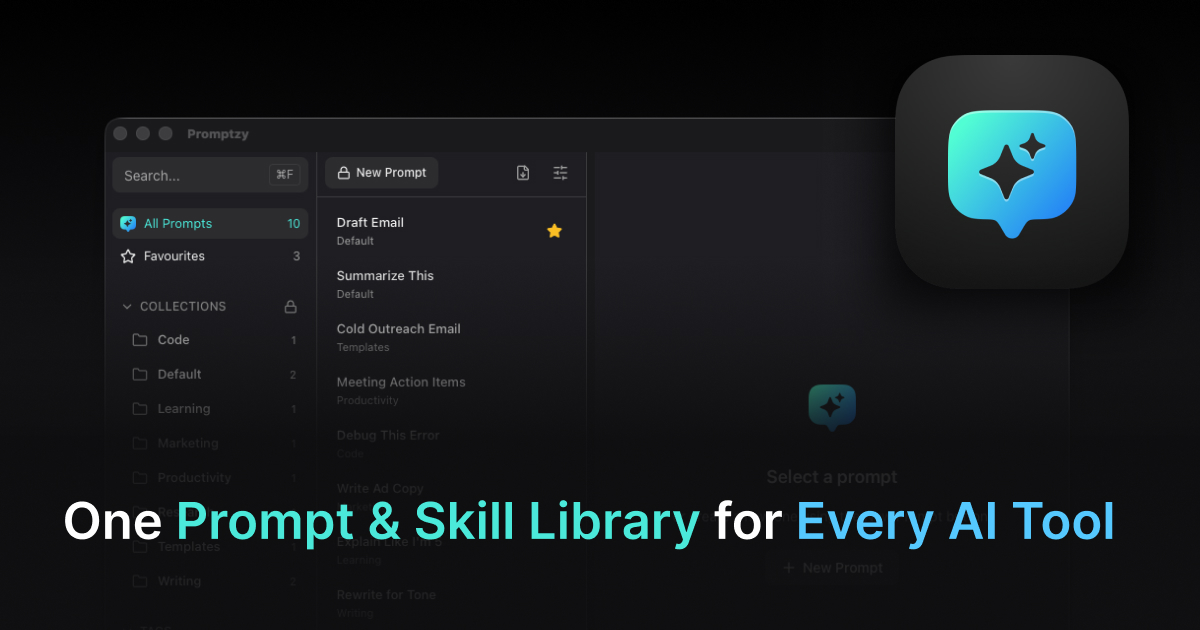
If you are pasting these into a notes app every meeting, Promptzy is a free Mac app that stores them as Markdown and pastes them into any app in about two seconds. Worth a look. If you want to compare alternatives, the Mac prompt manager roundup has them. If you are chasing the post-meeting follow-ups too, the email writing prompts live next door.
Store and manage your prompts with Promptzy
Free prompt manager for Mac. Search with Cmd+Shift+P, auto-paste into any AI app.
Download Free for macOS