
The Best Gemini Prompts for Productivity and Work (2026)
Gemini is a different tool than ChatGPT or Claude, and most people use it like they'd use any other AI — which means they're leaving a lot on the table. The prompts that work best with Gemini lean into what it actually does well: Google Workspace integration, real-time search grounding, and multimodal reasoning. These aren't generic prompts — they're written to get Gemini doing things other tools can't.
I've grouped them by use case. Use the ones that fit your workflow and ignore the rest. And if you find prompts you keep coming back to, you can save your Gemini prompts for daily reuse instead of rewriting them each time.
Google Workspace: Docs, Sheets, Gmail
Gemini's tightest integration is with Google Workspace. If you're in that ecosystem, these prompts save real time.
1. Draft a Google Doc from a brain dump
I'm going to give you rough, unstructured notes. Turn them into a clean, well-structured document with proper headings, a logical flow, and any obvious gaps called out.

Notes: {{clipboard}}
2. Summarise a long document
Summarise this document in three sections: (1) What it's about in two sentences, (2) Key decisions or recommendations, (3) Open questions or action items.

Document: {{clipboard}}
3. Improve a Gmail draft
Rewrite this email to be clearer and more concise. Keep the same intent but cut anything that doesn't need to be there. Don't start with "I hope this email finds you well."

Draft: {{clipboard}}
4. Turn a spreadsheet column into a summary
Here's a list of items from a spreadsheet. Write a short paragraph summarising the key patterns or themes. Don't list them back to me — synthesise them.

Data: {{clipboard}}
5. Create a meeting agenda from an email thread
I have an email thread about an upcoming meeting. Extract the main topics that need to be discussed and format them as a meeting agenda with time estimates.

Thread: {{clipboard}}
For more communication-focused prompts, see our email writing prompts guide.
6. Write a follow-up email from meeting notes
Write a professional follow-up email based on these meeting notes. Cover what was decided, who owns what, and what the next steps are. Keep it under 200 words.

Notes: {{clipboard}}
Search-Grounded Research
Gemini's search grounding lets you ask for current, cited information. These prompts take advantage of that.
7. Market overview with sources
Give me a current overview of [market/industry], including: recent growth trends, the 3-5 biggest players, any notable shifts in the last 12 months, and what the next 2 years might look like. Cite sources.
8. Competitor snapshot
Give me a current overview of [company] as a competitor: their main products, recent news, pricing model if public, and what they're doing well vs where they're weak. Cite sources.
9. Current pricing research
What does [tool/service] cost in 2026? Break down their pricing tiers, what's included at each level, and whether there are any discounts or trials available. Cite sources.
10. Recent news digest on a topic
What are the most significant developments in [topic] from the last 30 days? Give me 5-7 bullet points with brief explanations. Cite sources.
11. Fact-check a claim
I've heard that [claim]. Is this accurate? What does current information say? If it's partially true, explain the nuance. Cite sources.
Multimodal: Screenshots, Images, Documents
Gemini handles images and PDFs well. These prompts work when you attach a file or screenshot.
12. Analyse a UI screenshot
Look at this screenshot and tell me: what is this interface doing, what problem is it solving, and what would you improve about it from a UX standpoint?
(Attach screenshot)
13. Extract data from a table image
Extract all the data from this table into a clean, structured format — either a Markdown table or CSV. If any cells are unclear, flag them.
(Attach image of table)
If you work with meeting notes or document processing frequently, our summarization prompts collection goes deeper on this specific use case.
14. Summarise a PDF document
Summarise this document. Give me: the main argument or purpose, 5-7 key points, and any recommendations or conclusions. Keep it under 300 words.
(Attach PDF)
15. Transcribe and clean up handwritten notes
Transcribe the handwritten text in this image and clean it up into clear, readable prose. Preserve the key ideas but improve the structure.
(Attach photo of notes)
16. Compare two documents
I'm attaching two documents. Compare them: what are the key differences in content, tone, and recommendations? Which one makes a stronger case and why?
(Attach two files)
Writing and Content
17. Write a LinkedIn post from raw content
Turn this rough content into a LinkedIn post. Make it personal, direct, and not corporate-sounding. Under 200 words, no hashtag overload, end with a genuine question or observation.

Content: {{clipboard}}
18. Write a weekly update email
Write a short weekly update email based on these bullet points. Keep it to 3 short paragraphs: what happened, what's next, what I need from the team.

Points: {{clipboard}}
19. Build a presentation outline
I need to present [topic] to [audience] in [time]. Give me a slide-by-slide outline with: slide title, 3-4 bullet points per slide, and any suggestions for visuals or data.

Topic summary: {{clipboard}}
20. Improve a job description
Rewrite this job description to be clearer, more specific, and more appealing to strong candidates. Remove jargon, add real context about the role, and make the requirements honest rather than a wish list.

Original: {{clipboard}}
Strategy and Thinking
Gemini works well as a thinking partner for structured analysis. These prompts are useful when you need to work through a decision or plan rather than just produce output.
21. SWOT analysis
Run a SWOT analysis on [company/product/idea]. Be specific and honest — don't fill the quadrants with generic filler. Flag any areas where you're uncertain.
22. Devil's advocate
I'm about to make this decision: {{clipboard}}

Play devil's advocate. What's the strongest case against it? What am I not seeing? What's the realistic downside scenario?
23. Strategic prioritisation
Here's a list of things I'm considering: {{clipboard}}

Help me prioritise using an impact vs effort framework. What should I do first, what should I defer, and what should I cut?
24. Identify assumptions
Here's a plan: {{clipboard}}

List the core assumptions it relies on. Which ones are risky or untested? What would change if those assumptions turned out to be wrong?
25. Scenario planning
I'm planning to [initiative]. Walk me through three scenarios: best case, realistic case, and worst case. For each, describe what success or failure looks like and what early decisions I should make to handle all three.
Quick Utilities
26. Explain like I'm a beginner
Explain {{clipboard}} as if I've never heard of it. Use an analogy, keep it under 150 words, and don't assume technical background.
27. Summarise and extract action items
Read these meeting notes: {{clipboard}}

Give me a 3-sentence summary and a clean list of action items with owners if mentioned.
28. Turn bullets into flowing prose
Turn these bullet points into a clear, readable paragraph that flows naturally: {{clipboard}}
29. Write a professional rejection
Write a professional, kind rejection for this situation: {{clipboard}}

Keep it brief, honest, and leave the door open if appropriate.
30. Simplify complex language
Rewrite this in plain English: {{clipboard}}

Target a general audience. Keep the meaning, cut the jargon.
Getting More From Gemini
A few things worth knowing if you use Gemini regularly:
Search grounding works best when you explicitly ask for sources or add "as of 2026" to your query. If Gemini gives confident factual answers without citations, push back and ask it to verify.
For Workspace tasks, the Gemini sidebar in Google Docs is often faster than switching to a separate chat window. Same prompts, less context-switching.
The multimodal features reward specificity. "Tell me about this image" gets worse results than "Extract the table data and flag any cells that are unclear."
Many of the prompts above use {{clipboard}} placeholders — these are Gemini templates with dynamic variables that auto-inject context so you never have to manually paste.
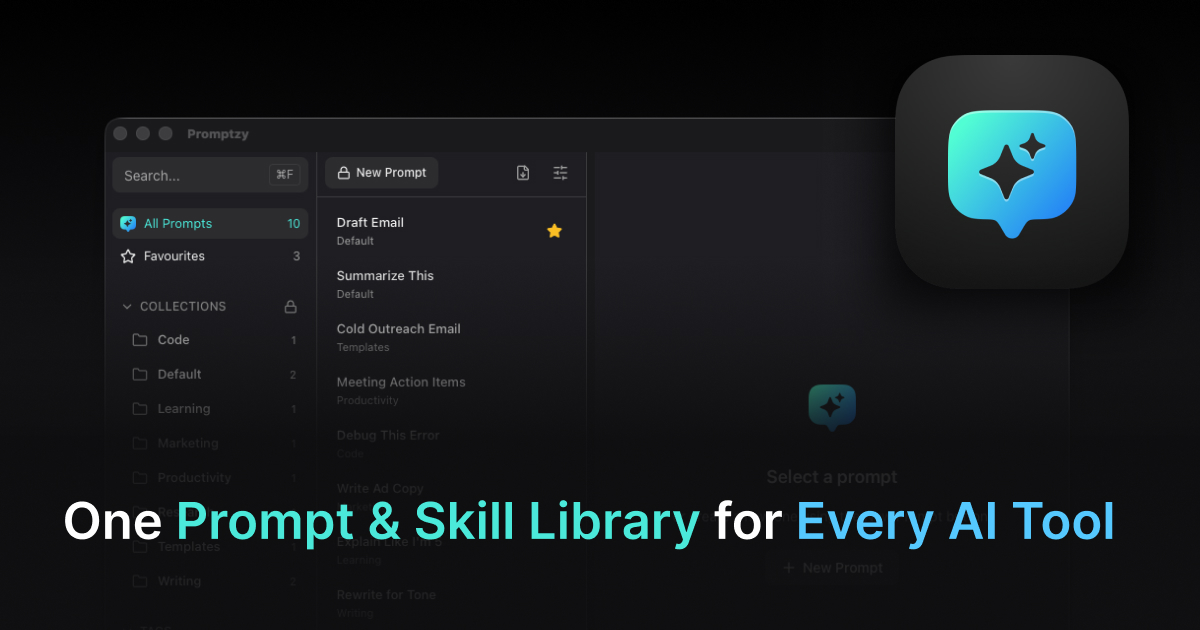
If you use any of these prompts regularly — especially the ones with {{clipboard}} — storing them somewhere you can access mid-workflow matters. We've reviewed the best prompt managers for Mac if you want to compare your options. Promptzy keeps them as plain Markdown files and pastes any prompt into your active window with a single shortcut. These 30 prompts would sit in a "Gemini" collection, one Cmd+Shift+P away.
Store and manage your prompts with Promptzy
Free prompt manager for Mac. Search with Cmd+Shift+P, auto-paste into any AI app.
Download Free for macOS