
The 40 Best Claude Prompts for Developers in 2026
Claude is a different animal from ChatGPT. If you use the same generic prompts with both, you're leaving Claude's actual strengths on the table. Claude handles long context well — you can paste an entire codebase and get coherent feedback. It responds well to XML tags for structured output. Its extended thinking mode (on Claude Sonnet/Opus) is genuinely useful for architecture and design problems.
These 40 prompts are written to take advantage of that. They're Claude-specific — not just copy-pasted ChatGPT prompts. If you save your Claude prompts for reuse, you'll get consistent results without rebuilding them each session. Where your code or context goes, I've used {{clipboard}}.
Code Review (Claude-Optimised)
Claude's ability to handle large context windows means you can paste entire files — not just snippets.
1. Full-file code review
<task>Review this entire file for bugs, security issues, performance problems, and code quality.</task>

<code>
{{clipboard}}
</code>

<output_format>
For each issue found:
- File location (line number if possible)
- Issue type (bug/security/performance/style)
- Severity (critical/high/medium/low)
- Explanation
- Suggested fix with code example
</output_format>

Prioritise critical and high severity issues first.
2. Security audit with OWASP focus
<task>Perform a security audit of this code with a focus on OWASP Top 10 vulnerabilities.</task>

<code>
{{clipboard}}
</code>

For each vulnerability found: describe the risk, explain how an attacker could exploit it, and provide a patched code example. If the code is clean, say so explicitly — don't manufacture issues.
3. PR review with context
<task>Review this pull request diff.</task>

<diff>
{{clipboard}}
</diff>

Provide the kind of review a senior engineer would leave: focus on correctness, edge cases, missing tests, naming, and architecture concerns. Leave specific, actionable inline comments. Also give an overall summary and a recommendation: approve, approve with changes, or request changes.
For a broader look at how to use AI for quality checks beyond Claude, see our dedicated code review prompts guide.
4. Code review for a junior developer
<task>Review this code written by a junior developer and leave educational feedback.</task>

<code>
{{clipboard}}
</code>

For each issue: explain not just what's wrong but WHY it's wrong and what principle it violates. The goal is to teach, not just correct. Keep the tone constructive.
If you also use ChatGPT for coding tasks, many of these prompts have counterparts in our ChatGPT prompts for developers guide — worth comparing side by side to see which model handles your workflow better.
Architecture & System Design
Claude's extended thinking is genuinely useful for architecture problems. On Claude Sonnet/Opus, these prompts benefit from turning on extended thinking.
5. Architecture review
<task>Review this architecture for scalability, reliability, and maintainability concerns.</task>

<architecture>
{{clipboard}}
</architecture>

Cover:
- Single points of failure
- Bottlenecks under load
- Data consistency risks
- Operational complexity
- What would break first at 10x scale

Suggest specific improvements, not just general principles.
6. Design a system from scratch
<task>Design a system that does the following:</task>

<requirements>
{{clipboard}}
</requirements>

Provide:
1. High-level architecture (components and their responsibilities)
2. Data model (key entities and relationships)
3. API design (key endpoints with request/response shapes)
4. Scalability strategy
5. What you'd build first vs what can wait
6. The hardest part of this problem and how to approach it
7. Evaluate two architectural approaches
<task>Evaluate these two architectural approaches for this problem:</task>

<problem>
{{clipboard}}
</problem>

<option_a>
[describe option A]
</option_a>

<option_b>
[describe option B]
</option_b>

Compare them on: complexity, scalability, operational burden, development speed, and reversibility. Make a recommendation and justify it.
8. Design a database schema
<task>Design a database schema for this application:</task>

<requirements>
{{clipboard}}
</requirements>

Provide:
- Tables and columns with data types
- Primary and foreign keys
- Indexes worth creating
- Any constraints
- Notes on schema evolution (how would this need to change as the app grows?)
- Trade-offs in your design decisions
Debugging
9. Debug with full context
<task>Help me debug this error.</task>

<error>
{{clipboard}}
</error>

Explain:
1. What is causing this error (root cause, not just the symptom)
2. Why it's happening now (what conditions trigger it)
3. The fix with example code
4. Any related issues to watch for
10. Step-by-step logic debugging
<task>Walk through this code step by step and find the logic error.</task>

<code>
{{clipboard}}
</code>

Expected behaviour: [describe what it should do]
Actual behaviour: [describe what it's doing instead]

Trace the execution and identify exactly where the logic diverges from what's expected.
11. Debug a race condition
<task>Analyse this concurrent code for race conditions and deadlock risks.</task>

<code>
{{clipboard}}
</code>

Identify: what shared state exists, which operations are non-atomic, where race conditions could occur, and how to fix them. Show the fix with the corrected synchronisation.
12. Interpret a complex stack trace
<task>Interpret this stack trace and help me find the root cause.</task>

<stack_trace>
{{clipboard}}
</stack_trace>

Tell me: where the error originates (not just the top of the stack), what likely caused it, and what I should look at in my codebase to fix it. If you need more context, tell me what to look for.
Documentation
13. Write a README
<task>Write a comprehensive README for this project.</task>

<context>
{{clipboard}}
</context>

Include:
- One-paragraph project overview
- Why this exists (the problem it solves)
- Installation instructions
- Usage examples with code
- Configuration options
- Contributing guide (brief)
- License

Make it scannable. Someone should understand the project in 60 seconds.
14. Write inline code comments
<task>Add inline comments to this code to explain non-obvious logic.</task>

<code>
{{clipboard}}
</code>

Rules:
- Comment WHY, not WHAT (don't comment `i++` as "increment i")
- Explain business logic, edge cases, and non-obvious algorithm choices
- Don't comment every line — only where explanation adds value
- Use the existing comment style in the file
15. Write API documentation
<task>Write API documentation for these endpoints.</task>

<api_code>
{{clipboard}}
</api_code>

For each endpoint:
- HTTP method and path
- Description (what it does, when to use it)
- Request parameters (path, query, body) with types and whether required
- Response shape with example
- Error responses and what causes them
- Authentication requirements
16. Generate a CHANGELOG entry
<task>Write a CHANGELOG entry for this release.</task>

<commits_or_diff>
{{clipboard}}
</commits_or_diff>

Format it for users, not developers — focus on what changed and why it matters, not implementation details. Group by: Breaking Changes, New Features, Bug Fixes, Performance Improvements. Follow the Keep a Changelog format.
Testing
17. Write unit tests
<task>Write comprehensive unit tests for this code.</task>

<code>
{{clipboard}}
</code>

Cover:
- Happy path
- Edge cases (empty inputs, null values, boundary values)
- Error cases (what should throw or return an error)
- Any business logic assertions

Use the same testing framework and style as any existing tests in the snippet. If none, use the most common for this language.
18. Write integration tests
<task>Write integration tests for this module.</task>

<code>
{{clipboard}}
</code>

Focus on: interactions between components, external dependencies (use mocks/stubs appropriately), and scenarios that unit tests wouldn't catch. Explain your mocking strategy.
19. Find missing test cases
<task>Review this test suite and identify what's missing.</task>

<tests>
{{clipboard}}
</tests>

List the test cases that should exist but don't. For each: describe the scenario, why it matters, and what the expected behaviour should be.
20. Generate test data
<task>Generate realistic test data for this schema:</task>

<schema>
{{clipboard}}
</schema>

Requirements:
- 10 records
- Realistic values (not "test1", "test2")
- Cover edge cases in the data (nulls where nullable, boundary values, special characters where relevant)
- Format as JSON (or SQL INSERT statements if preferred)
Refactoring
21. Refactor for readability
<task>Refactor this code for clarity and maintainability without changing behaviour.</task>

<code>
{{clipboard}}
</code>

Apply: meaningful variable names, extracted functions for complex logic, removed duplication, simplified conditionals. Show the before and after, and briefly explain each significant change.
22. Reduce code complexity
<task>Reduce the cyclomatic complexity of this function.</task>

<code>
{{clipboard}}
</code>

Break it into smaller functions, simplify conditionals, and reduce nesting. The refactored version should be testable in smaller pieces. Don't change the external interface.
23. Modernise legacy code
<task>Modernise this legacy code using current language features and idioms.</task>

<code>
{{clipboard}}
</code>

Language version: [target version]

Apply modern patterns where they improve readability. Explain what each change does and why it's an improvement over the old approach. Preserve existing behaviour exactly.
Since Cursor uses Claude under the hood, many of these prompts work even better inside the IDE. See our Cursor AI prompts for editor-native versions.
Git & DevOps
24. Write a commit message
<task>Write a git commit message for this change.</task>

<diff>
{{clipboard}}
</diff>

Follow conventional commits format: type(scope): description. Types: feat, fix, refactor, docs, test, chore, perf. The description should explain WHY the change was made, not just what changed.
25. Write a PR description
<task>Write a pull request description for this change.</task>

<diff>
{{clipboard}}
</diff>

Include:
- What this PR does (1-2 sentences)
- Why this change is needed
- How it was implemented (key decisions)
- Testing done
- Screenshots if UI change
- Anything reviewers should pay special attention to
26. Write a CI/CD pipeline configuration
<task>Write a [GitHub Actions/GitLab CI/Jenkins] pipeline for this project.</task>

<project_context>
{{clipboard}}
</project_context>

Include: install dependencies, run tests, build, and deploy to [environment]. Add caching where it makes sense. Include a comment explaining each step.
Performance
27. Profile and optimise
<task>Analyse this code for performance bottlenecks.</task>

<code>
{{clipboard}}
</code>

Identify: the most expensive operations, unnecessary work being done in loops, memory allocation patterns that could be improved, and any O(n²) or worse algorithms. Prioritise by impact and suggest specific optimisations.
28. Optimise a database query
<task>Optimise this database query.</task>

<query>
{{clipboard}}
</query>

<schema>
[paste relevant table schemas]
</schema>

Analyse: the query plan implications, what indexes would help, whether the query can be restructured for better performance, and any N+1 patterns if this is in application code.
Explaining & Learning
29. Explain a complex codebase section
<task>Explain what this code does to a developer joining the project.</task>

<code>
{{clipboard}}
</code>

Cover: what problem it solves, how it works at a high level, the key design decisions, any non-obvious patterns, and what a developer would need to understand before modifying it.
30. Explain an algorithm
<task>Explain this algorithm in plain English, then trace through it with an example.</task>

<code>
{{clipboard}}
</code>

Step 1: plain English explanation of what it does and how.
Step 2: trace through with a concrete small example showing state at each step.
Step 3: what's the time/space complexity and when would this be a poor choice?
Extended Thinking Prompts
These prompts work especially well with Claude's extended thinking mode enabled — they benefit from the deeper reasoning.
31. Architecture decision record (ADR)
<task>Help me write an Architecture Decision Record (ADR) for this decision.</task>

<context>
{{clipboard}}
</context>

Format:
- Title
- Status
- Context (what forces are at play)
- Decision (what we decided)
- Consequences (what happens as a result — both positive and negative)
- Alternatives considered (and why they were rejected)
32. Technical spec review
<task>Review this technical specification for completeness, ambiguity, and potential implementation problems.</task>

<spec>
{{clipboard}}
</spec>

Flag: requirements that are ambiguous, missing edge cases, assumptions that should be made explicit, security or performance concerns not addressed, and anything that will be harder to implement than it looks on paper.
33. Estimate technical complexity
<task>Estimate the technical complexity and effort for this feature request.</task>

<feature>
{{clipboard}}
</feature>

Break it into sub-tasks with T-shirt size estimates (XS/S/M/L/XL). Identify: the hardest parts, dependencies on other systems, unknowns that need investigation, and risks that could blow the estimate.
Miscellaneous
34. Generate CLI documentation
Document the CLI for this tool. Here are the commands and flags:

{{clipboard}}

For each command: what it does, all flags with descriptions and defaults, example usage (2-3 per command), and common error messages with explanations. Format as Markdown.
35. Write a technical blog post outline
Write an outline for a technical blog post on:

{{clipboard}}

Include: a working title and tagline, the target audience, the main sections with 2-3 sub-points each, what code examples to include, and a hook for the introduction that isn't "In today's fast-paced tech landscape..."
36. Review a configuration file
<task>Review this configuration file for correctness, security issues, and best practices.</task>

<config>
{{clipboard}}
</config>

Flag: insecure defaults, missing settings that should be set, values that look wrong, and any security-sensitive settings that should be in environment variables instead.
37. Write error messages
Write user-facing error messages for these error conditions:

{{clipboard}}

Each message should: tell the user what went wrong (in plain English), tell them why it happened if it helps, and tell them what to do next. Avoid "An error occurred." and "Something went wrong."
38. Code golf (optimise for brevity)
Rewrite this code to be as concise as possible without sacrificing readability:

{{clipboard}}

Show the shortest idiomatic version, explain what changed, and note if any version loses readability for the sake of brevity (and whether that trade-off is worth it).
39. Cross-language translation
<task>Translate this code from [source language] to [target language].</task>

<source_code>
{{clipboard}}
</source_code>

Translate idiomatically — don't just transliterate. Use the target language's patterns and conventions. Note any places where the translation isn't straightforward due to language differences.
40. Write onboarding documentation for a new developer
<task>Write a "Getting Started" guide for a developer joining this project.</task>

<project_context>
{{clipboard}}
</project_context>

Cover: prerequisites, setup steps (be explicit — don't skip steps developers forget to document), how to run the project locally, how to run tests, the development workflow (branches, PRs, etc.), and who to ask for help on what.
Sync These Skills to Cursor Automatically
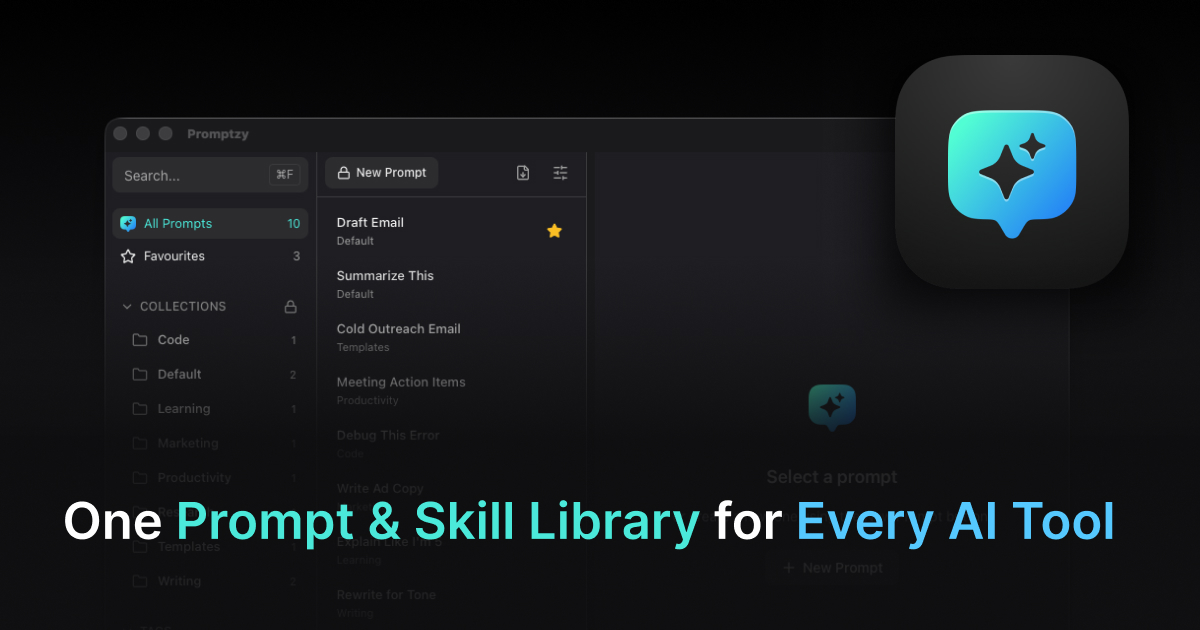
If you save these Claude prompts as skills in Promptzy, they automatically sync to Cursor and OpenClaw too. Create a skill in Claude, refine it over a few sessions, and the latest version is already waiting in your editor. No exporting, no copy-pasting between tools. When a skill gets edited in Cursor, the update flows back to Claude. Promptzy handles conflict resolution if versions diverge, so you never lose a good iteration. At $5 one-time for Pro, it's the only tool that offers cross-app skill sync.
Claude's XML-structured prompts take a few more keystrokes to set up, but the output quality difference is worth it — especially for complex tasks. If you're storing these in a prompt manager, Promptzy handles multi-line templates well and lets you fire any of them from anywhere on your Mac with a single shortcut. Its built-in Markdown editor gives you a clean interface with line numbers and search for writing and editing prompts directly -- handy when you're tweaking XML-heavy Claude templates. For a full comparison of the best prompt managers for Mac, see our roundup.
Store and manage your prompts with Promptzy
Free prompt manager for Mac. Search with Cmd+Shift+P, auto-paste into any AI app.
Download Free for macOS