
The Best Cursor AI Prompts for Developers (Full List)
Cursor has become the default AI IDE for a lot of developers — and for good reason. But most people use it the same way they use autocomplete: accept suggestions, occasionally ask for a refactor. The ceiling is much higher than that.
These prompts are designed for Cursor's actual features: the inline editor (Cmd+K), the chat panel (Cmd+L), @ references (files, docs, symbols), .cursorrules, and the composer for larger tasks. Where you'd paste your code or context, I've used {{clipboard}}. If you want to save your Cursor prompts outside the editor so they're accessible across tools, that's worth setting up early.
.cursorrules Templates
.cursorrules lives at your project root and shapes how Cursor behaves in that project. These templates give you a solid starting point.
1. General full-stack project
You are an expert full-stack developer working on this project.

Code style:
- TypeScript everywhere, strict mode, no `any`
- Functional components in React, hooks over class components
- Async/await over .then() chains
- Explicit return types on all functions

Architecture preferences:
- Keep components small (under 150 lines)
- Co-locate tests next to source files
- Prefer composition over inheritance

When reviewing or editing code:
- Point out potential bugs, not just style issues
- Suggest tests for any complex logic
- Flag any security concerns immediately

When writing new code:
- Match the existing style in the file
- Prefer readability over cleverness
- Add a comment when the logic is non-obvious
2. Backend API project (Node.js)
You are an expert Node.js/TypeScript backend developer.

This project uses: Express, TypeScript, Prisma, PostgreSQL.

Conventions:
- All route handlers are async, wrapped in error handling middleware
- Validate all inputs at the route level before business logic
- Errors are thrown as custom AppError instances (see src/errors.ts)
- Database calls go in service files, not in route handlers
- Use Zod for runtime validation

Security:
- Always sanitise user input
- Never log sensitive data (PII, tokens)
- Use parameterised queries only — never string concatenation in SQL

Testing:
- Jest + Supertest for integration tests
- Mock external services, not the database layer
3. React component library
You are working on a React component library.

Rules:
- All components accept `className` for external style overrides
- Use `forwardRef` where the element needs a ref
- Accessibility first: ARIA attributes, keyboard navigation, focus management
- Props should be typed with JSDoc comments
- Every component has a Storybook story

Patterns to follow:
- Compound component pattern for complex components
- Controlled + uncontrolled variants where it makes sense
- No CSS-in-JS — use CSS modules

When writing new components:
- Start with the types/interface
- Write the happy path first, then edge cases
- Add a brief comment explaining any non-obvious accessibility decision
4. Python data science project
You are an expert Python data scientist.

This project uses: Python 3.12, pandas, scikit-learn, pytest.

Style:
- Type hints on all functions
- Docstrings in NumPy format
- No mutable default arguments
- Prefer list/dict comprehensions over loops where readable

Data handling:
- Never mutate a DataFrame in place — use copies
- Always check for NaN before operations that don't handle them
- Use named constants for column names (avoid magic strings)

When writing analysis code:
- Add a one-line comment explaining the intent of each block
- Surface any assumptions about the data explicitly
- Flag if something would break with different data shapes
Inline Edit Prompts (Cmd+K)
These are for Cursor's inline editor — select code, hit Cmd+K, paste the prompt.
5. Refactor for readability
Refactor this for readability. Extract complex logic into well-named helper functions. Simplify any deeply nested conditionals. Use descriptive variable names. Don't change the external interface or behaviour.
6. Add error handling
Add proper error handling to this code. Handle: null/undefined inputs, network/IO failures, and any domain-specific error cases. Throw or return errors in a way consistent with the rest of the file. Add try/catch where appropriate.
7. Add TypeScript types
Add TypeScript types to this JavaScript/untyped code. Use strict types — no `any`. Infer return types where obvious, be explicit where not. Add a type for any data structures that don't have one.
8. Write tests for this function
Write unit tests for this function. Cover: the happy path, edge cases (empty inputs, boundary values, nulls), and error cases. Use the testing framework already in this project. Make each test name describe the specific scenario being tested.
9. Optimise this algorithm
Optimise this algorithm for performance. Identify the bottleneck, suggest an improved approach with better time/space complexity, and implement it. Keep the same interface. Add a comment explaining the optimisation.
10. Add logging
Add structured logging to this code. Log: function entry with key parameters (sanitised — no PII), important decision points, errors with full context, and performance-sensitive operations. Use the logging setup already in this file/project.
Chat Panel Prompts (Cmd+L)
These work in Cursor's chat panel, especially with @file or @symbol references. If you prefer a chat-based workflow outside the IDE, our ChatGPT developer prompts cover similar tasks. Since Cursor runs on Claude under the hood, you may also find our Claude prompts for developers useful for understanding how to structure prompts that play to Claude's strengths.
11. Understand an unfamiliar codebase section
I just joined this project. Explain what @[filename] does. Cover: what problem it solves, how it fits into the broader architecture, the key design decisions, and what a developer would need to understand before modifying it. What should I read next to get more context?
12. Debug with context
I'm getting this error:

{{clipboard}}

The error originates in @[filename]. Walk me through what's happening, why this error occurs, and how to fix it. Check if there are any related issues elsewhere in the file that could cause problems.
13. Plan a feature implementation
I need to implement: {{clipboard}}

Looking at the existing codebase, where should this live? What files will I need to create or modify? What's the best approach given the current architecture? Are there any patterns I should follow that are already established here?
14. Find all places a function is used
I want to refactor @[function_name]. Before I do: find everywhere it's called, summarise the different ways it's being used, and flag any usage that might break if I change the interface. Give me a refactoring plan.
15. Review my approach before I write the code
Before I implement this, I want a second opinion on my approach:

{{clipboard}}

What are the risks? Is there a simpler way? What edge cases am I not thinking about? What would break this at scale?
Debugging Sessions
16. Step-by-step debugging
Let's debug this together. I'll describe the problem and you ask me questions to narrow it down.

Problem: {{clipboard}}

Start by asking me the 3 most important questions that would help identify the root cause.
17. Rubber duck debugging
I need to explain this bug out loud to find the issue. I'll walk through what my code is supposed to do and what it's actually doing — stop me when you spot the problem.

Code: @[filename]

Expected behaviour: [describe]
Actual behaviour: [describe]
18. Generate a minimal reproduction
Help me create a minimal reproduction of this bug that I can share in a bug report:

{{clipboard}}

Strip out everything that's not necessary to reproduce the issue. The result should: demonstrate the bug clearly, have no external dependencies if possible, and be runnable in a few steps.
19. Analyse a memory leak
Analyse this code for memory leaks:

{{clipboard}}

Look for: event listeners not being cleaned up, closures holding references, timers not being cleared, and accumulating data structures. For each leak found: explain the mechanism and show the fix.
Architecture & Large-Scale Tasks
20. Evaluate a proposed architecture change
I'm considering this architectural change:

{{clipboard}}

Looking at the current codebase, what's the blast radius? What would break? What's the migration path? Is there a lower-risk approach that achieves the same goal? What would you do differently?
21. Plan a large refactoring
I want to refactor [describe what] across the codebase. Looking at @[relevant files], give me:
1. A phased plan (what to do first, second, etc.)
2. Which changes can be made atomically vs which need coordinated changes
3. Where the highest regression risk is
4. What tests I should write before starting
22. Design a new module
I need to add a new [module/service/component] that does:

{{clipboard}}

Given the existing patterns in this codebase, how should I structure it? What interface should it expose? What should it own vs delegate? Write the interface/types first before any implementation.
If you're evaluating Cursor alongside other AI coding tools, our GitHub Copilot prompts guide covers the differences in how you'd structure prompts for Copilot's completion-first approach.
Code Generation
23. Generate a CRUD API
Generate a complete CRUD API for this data model:

{{clipboard}}

Include: route definitions, controller functions, input validation (using the validation library in this project), database queries (using the ORM in this project), and error handling. Match the patterns in @[existing_controller].
24. Generate a React form
Generate a React form for this data model:

{{clipboard}}

Include: field validation (with error messages), loading state during submit, success/error feedback, and TypeScript types. Match the component patterns in this project.
25. Generate a database migration
Generate a database migration for this schema change:

{{clipboard}}

Include: the up migration, the down migration (rollback), and a comment explaining what this changes and why. Check for any data migration needs — not just schema changes.
Productivity & Meta-Prompts
26. Generate commit messages from staged changes
Write a conventional commit message for these changes:

{{clipboard}}

Format: type(scope): description. Body: explain WHY this change was made (not what). If it's a breaking change, add a footer.
27. Explain a decision for the team
Write a brief Slack/PR comment explaining this technical decision:

{{clipboard}}

Target audience: other engineers who didn't write this code. Cover: what was chosen, why this approach over alternatives, and any important caveats or follow-up work.
28. Write a TODO comment
Write a TODO comment for this incomplete or suboptimal code:

{{clipboard}}

The TODO should: explain what needs to be done, why it was left incomplete, what the desired end state is, and any context that will help whoever picks this up later.
29. Generate mock data
Generate mock data for this TypeScript type/interface:

{{clipboard}}

Create 5 realistic records. Use real-looking values — not "foo", "bar", "test1". Cover edge cases: include a record with optional fields missing, one with boundary values, and one with special characters where strings are involved.
30. Write a technical decision summary
We spent 2 hours deciding on this:

{{clipboard}}

Write a short decision summary (1 page) that captures: the problem, the options we evaluated, why we chose what we chose, and what we'd revisit if circumstances change. This will live in our docs.
Skills That Sync Beyond Cursor
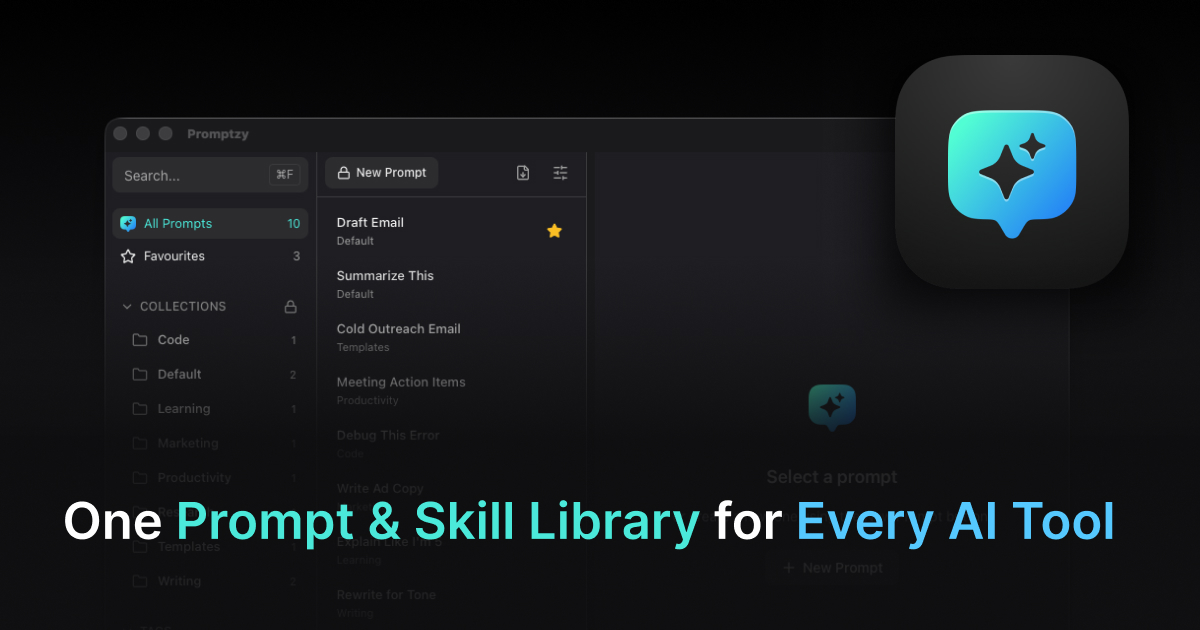
Save these prompts as skills in Promptzy and they automatically sync to Claude and OpenClaw. Refine a debugging prompt during a Cursor session, and the improved version is available next time you open Claude. Create a new architecture review skill in Claude, and it's waiting in Cursor when you switch back. Promptzy's multi-directional sync means your best prompts are never trapped in a single tool, and built-in conflict resolution handles the cases where a skill gets edited in two places.
The best Cursor setup pairs the AI with good prompt storage. If you're constantly rewriting your .cursorrules template or copy-pasting debugging prompts from a notes app, Promptzy stores them as Markdown and lets you paste any of them anywhere with Cmd+Shift+P. Since you're already working in Markdown all day, Promptzy's built-in Markdown editor with line numbers and search is a natural complement -- edit prompts and .md files in a distraction-free interface without leaving the app. For a detailed look at how this compares to other launchers, see Raycast vs Promptzy for managing prompts on Mac. Free to try.
Store and manage your prompts with Promptzy
Free prompt manager for Mac. Search with Cmd+Shift+P, auto-paste into any AI app.
Download Free for macOS